Workday® 2026 R1 Updates
Table Of Contents
COMPENSATION
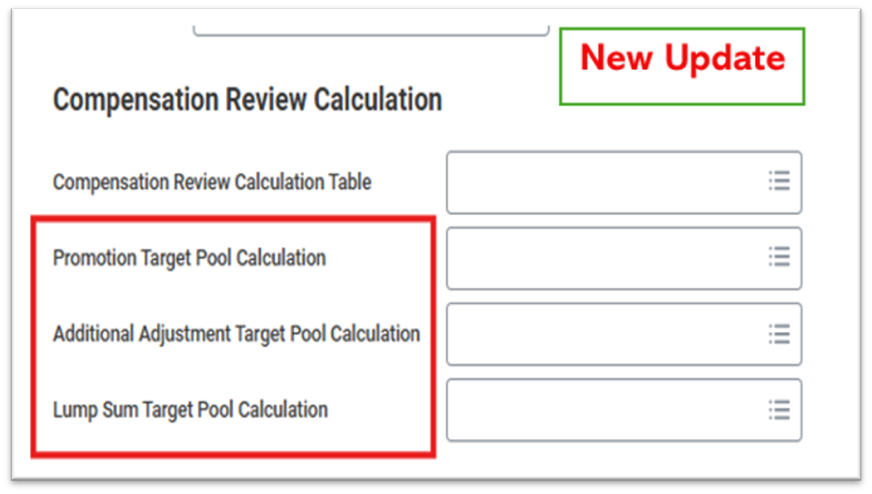
Statement Visible Column in Workday® 2024 R2
Workday® 2024 R2 adds the new Statement Visible column to these reports:
- Compensation Review Statement History
- View Compensation Review Statements
Setup Required :- Automatically Available

INTEGRATIONS
Check Printing Connector Integration
What's New?
With this release, Workday updates the Core Connector: Payroll Check Printing (Enhanced Performance) integration template.
Benefits
Improves how check payment data is sent to banks that do not support existing checking integrations.
New Functionality
Enhanced processing efficiency of the Check Printing Connector, resulting in improved runtime performance.
Impact
Faster check printing processing
Setup Required: - Automatically Available
Workday Bank Connectivity - Referential Data Updates
What's New?
Workday delivers a new Workday Bank Connectivity - Referential Data Updates integration template that enables you to select referential data and sync this data with Kyriba either manually at the beginning of implementation, or at scheduled intervals. This update addresses issues where multiple settlement runs might attempt to update the same referential object simultaneously or when data enrichment is required prior to payment.
Benefits
This update addresses issues where multiple settlement runs might attempt to update the same referential object simultaneously or when data enrichment is required prior to payment.
New Functionality
Introduction of the Workday Bank Connectivity - Referential Data Updates integration template.
- New Manage: Workday Bank Connectivity - Referential Data Updates Integration Event Document Security domain to control access to the integration template.
- New Workday Bank Connectivity - Referential Data Updates Integration Event Document Security domain to control access to integration event documents.
Impact
Improves data synchronization control and reduces settlement update conflicts.
Setup Effort
- Access “Create External Client CredStore” task and configure the following ;
- App ID - Name shown for attribute selection [Just a display name]
- External Reference ID
- Auth Scheme - OAuth 2.0 Client Credential
- Client ID
- Client Secret
- Token Endpoint - Any value (not used by this integration)
Note: Configure CredStore credentials only once for all Workday Bank Connectivity integrations.
Security Required:
Security Administration domain (System functional area)
2.Create the Integration System and select template: Workday Bank Connectivity – Referential Data Updates. Enable all Services.
3.Configure the following integration attributes;
- External CredStore Client - Select CredStore created earlier.
- Financial Institution - Filters related institutions, branches, companies (Works cumulatively with Bank Account)
- Bank Account - Filters related bank accounts, institutions, companies (Works cumulatively with Financial Institution)
- Document Retention Policy - Specify output retention duration (days)
- API Endpoint for Referential Data Updates - Provide full API URL of the location of the API call for referential data updates.
- Disable Referential Data Updates for Selected Object Types - Select an object type to prevent updating existing referential data for that type. By default, Workday updates the existing referential data.
- Disable Creation of Referential Data for Selected Object Types - Select an object type to prevent the creation of new referential data for that type when the object doesn't already exist. By default, Workday creates the missing referential data.
- Ignore Referential Data Failures for Selected Object Types - Continue sending the payment file to an external banking partner when there's an error for the selected object, or objects, during the incremental referential data update or create process.
WPN - ISO 20022 V8 Direct Debit Integration Template
What's New?
- Workday now supports processing of direct debits using the ISO 20022 Customer Direct Debit Initiation V8 (pain.008.001.08) format.
Benefits
Workday makes this update to align with new ISO 20022 based formats that enable more efficient payment processes across the financial network and also facilitate improved internal reconciliation processes of payments and account statements.
New Functionality
With this update, Workday delivers a new WPN - ISO 20022 V8 Direct Debit integration template that you can use to process direct debit payments using the ISO 20022 Customer Direct Debit Initiation V8 (pain.008.001.08) format.
Impact?
Enables compliance with the latest ISO 20022 V8 direct debit standards, ensuring improved payment processing efficiency.
Setup Required: - Automatically Available
Documentation Retention Policy Update
What's New?
Workday now enhances the documentation retention policy for financial integrations.
Benefits
With this update, Workday enhances security for documentation in financial integrations, and provides a more consistent user experience
New Functionality
updated the documentation retention policy for these integration templates:
- Core Connector: Bank Fee Statements Inbound
- Core Connector: Payments Outbound V2 (Enhanced Performance)
- Core Connector: Import EDI 822 Bank Fee Statements
- Import ISO 20022 V1 Bank Fee Statements
- Import ISO 20022 V2 Bank Fee Statements
- Import Customer Payments Lockbox
- Workday Bank Connectivity - Import Payment Status
- Core Connector: Professional Services Automation Inbound
Setup Required: - Automatically Available
WPN - ISO 20022 Integration Template Update - Workday 2026 Release 1
What's New?
With this release, Workday update the way some integrations behave when they encounter an error due to customer data. Previously the schema validation would fail, now it will be completed with errors that you can troubleshoot.
Benefits
His enables users to troubleshoot issues without causing integration failures.
Impact
Workday won’t host learning content image thumbnails on the public Internet.
New Functionality
- Error Handling Improvement: The integration now allows for schema validation to complete even when encountering customer data-related errors. This enables users to troubleshoot issues without causing integration failures.
- Templates Affected: The update applies to the following integration templates.
- WPN - ISO 20022 V2
- WPN - ISO 20022 V3 (Enhanced Performance)
Setup Required: - Automatically Available
Fast Inbound SFTP File Transfers for EIBs and Integrations
What's New?
Workday added the option to use a faster SFTP transfer for inbound EIBs and integrations.
Business Benefits
Fast file transfer can speed up the overall time-to-run for inbound EIBs and integrations that use the SFTP transport protocol.
Changes
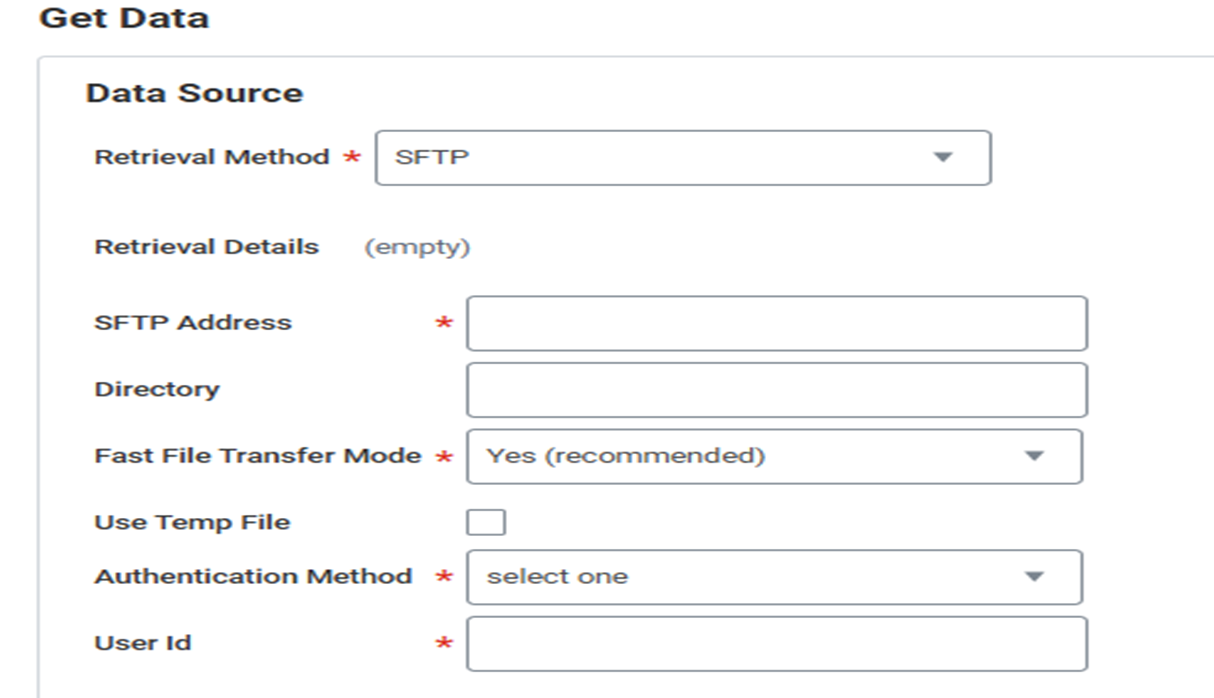
We add a new Fast File Transfer Mode drop-down to these existing Workday tasks:
- Create EIB (Get Data section)
- Edit EIB (Get Data section)
- Configure Document Retrieval.
What Happens if we do Nothing?
Your inbound EIBs and integration document retrieval services start using the new setting automatically.
Setup Required: - Automatically Available
Manage Enrollments Mutation in Workday Graph API Schema
What’s New?
Workday continues to grow the Workday Graph API schema version v1, enabling Workday Extend apps to enroll in Learning Content using Graph API
Benefits
Extend apps can access Manage Enrollments data using Graph API.
Changes
- Mutation prompts are now version-specific, ensuring that input prompt values for a mutation are consistently tied to the corresponding mutation version.
- We add the manageEnrollments mutation in version v1, enabling Extend apps to submit Manage Enrollments operations using Workday Graph API.
- To configure the security domains for the new mutation, access the View Security for Securable Item report in Workday.
Setup Required: - Automatically Available
Retrieve Technical Files
What’s New?
With this update, we enhance the performance and usability of Workday integrations by making it easier to retrieve technical files on integration events.
Benefits
- This update streamlines the process for retrieving technical files for your integrations, making it easier to identify and troubleshoot potential issues.
New Functionality
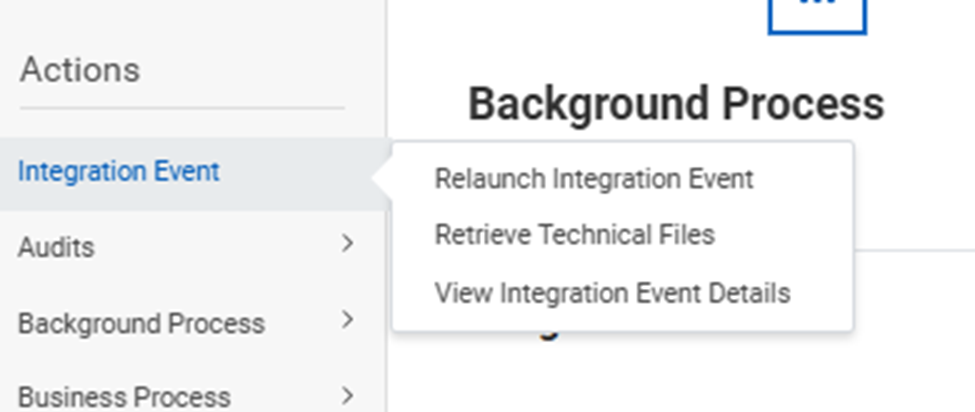
Now, when you retrieve technical files as a related action on an integration event:
- Compiles the technical files into a zip folder and sorts them by document tag.
- Sends you a notification informing you that the files are available.
Setup Required: - Automatically Available
MasterTax Tax Filing Integrations
What’s New?
Updates Master Tax tax filing integrations to improve tax reporting.
Benefits
These updates help improve your experience using Master Tax tax filing integrations
New Functionality
Workday updates the Master Tax Tax Filing - Quarterly tax filing integration to now update SUI hours worked by a worker at the deduction level..
Setup Required: - Automatically Available
Put Inventory Par Location SOAP API
What’s New?
Workday improves the performance of the Put Inventory Par Location web service operation for processing large sets of data.
Benefits
You can now process large sets of data faster to update your par locations and par items, improving your efficiency.
New Functionality
Workday improves the performance of the Put Inventory Par Location web service operation in v43.0 when you process large sets of data.
Setup Required: - Automatically Available
Accounting journal Inbound Connector
What’s New?
Workday has enhanced the Core Connector: Accounting Journal Inbound integration to prevent execution when no input files are available. The integration now triggers only when valid input files exist.
Benefits
Improves integration efficiency by eliminating unnecessary runs and enhances system resiliency by reducing background process load.
New Functionality
The integration will no longer launch without input files. The ESB child process will appear in the View Background Process report only when files are successfully processed.
Impact
Reduces unnecessary background jobs.
Key Takeaway
The connector now runs conditionally based on file availability, ensuring optimized processing and cleaner background job tracking.
Setup Required: - Automatically Available
Item Attribute Suggestions
What’s New?
Workday now automatically suggests frequently used item attribute values based on a user’s personal input history during item creation and maintenance.
Benefits
Enhances operational efficiency by reducing manual data entry and improves user experience.
New Functionality
Frequently used values are auto-suggested in Request, Create, Edit, and Mass Maintain Purchase Item tasks for attributes such as Unit of Measure, Currency, Item Tags, Purchase Item Group, and Request Type.
Impact
Faster item creation and fewer data entry mistakes.
Key Takeaway
Smarter suggestions help users complete purchase item tasks more quickly and efficiently.
Setup Required: - Automatically Available
Get Payroll Results SOAP API
What’s New?
Workday has updated the Get Payroll Results (SOAP API v46.0) to now include the Workday ID (WID) in the response.
Benefits
Makes it easier to connect payroll results with other Workday data sources like RaaS or Workday Extend.
New Functionality
The API response now includes the Payroll Result Workday ID (WID), allowing direct data matching without creating complex keys.
Impact
Makes it easier to match payroll data with invoice or vendor data and helps with checking and validating information.
Key Takeaway
Payroll results can now be directly linked using WID, making integrations cleaner and easier to maintain.
Setup Required: - Automatically Available
Managing Prism Entitlement Exclusions for Accounting Center
What’s New?
- Workday now enables Accounting Centre users to self-tag tables and datasets within Prism Analytics for exclusion from Prism entitlement calculations.
- You can now manually tag Prism tables and datasets that support Accounting Center processes to exempt them from usage reporting.
Benefits
- This enhancement enables Accounting Center users to self-report on Prism entitlements by letting users tag Prism artifacts for exclusion.
- Before this release, Accounting Center users manually subtracted the published data rows used from the total on the Workday-delivered Prism Usage Details report to accurately report on published Prism data rows. The net amount of the published data rows was used to report Prism usage for their annual reporting commitment to Workday.
New Functionality
Workday delivers a new Maintain Prism Artifact Usage task (secured to the Set Up: Accounting Source - Create domain) that enables you to select multiple Prism datasets or tables to include or exclude them from Prism usage reporting.
Setup Required: - Automatically Available
Bulk Tagging for Data Catalog
What’s New?
Workday enable you to apply or remove tags for multiple datasets, tables, and data change tasks simultaneously in the Data Catalog.
Benefits
- The bulk tagging ability enables you to efficiently add or remove tags on multiple datasets, tables, or data change tasks simultaneously, eliminating the need for individual edits.
New Functionality
- Workday adds check boxes to rows in the All Data, Tables, Datasets, and Data Change Tasks tabs in the Data Catalog. You can now select multiple rows, or select the check box in the header row to select or deselect all rows. The check box is hidden for any row where the user doesn't have edit permissions for that object.
- Workday add a new Bulk Edit Tags button that is enabled when you select at least one object. When you click the Bulk Edit Tags button, you can choose between Add Tags or Remove Tags, which enable you to add or remove tags for the selected objects. In the Bulk Add Tags dialog, you can select existing tags or create new ones
- You can select up to 150 objects for a bulk operation, and can apply up to 20 tags at once. If you select more than 150 objects, the bulk action button is disabled. For each object, the maximum number of tags is 20. During the bulk tagging process, if any objects exceed 20 tags, we notify you at the end of the process.
Setup Required: - Automatically Available
Compensation Queries and Mutation in Workday Graph API Schema
What’s New?
Workday continues to grow the Workday Graph API schema, providing Workday Extend apps read access to employee compensation events and compensation plan assignment data using Graph API for the purpose of creating custom solutions to manage out-of-order compensation transactions. We also deliver a new mutation for requesting compensation changes.
Benefits
- Extend apps can access more comprehensive compensation data and perform robust compensation change requests using Graph API.
New Functionality
Workday deliver the new employee Compensation Event query in version v1, enabling Extend apps to read additional compensation data. Fields include: compensation Change Out Of Order Status.
- employee Visibility Date.
- impacted Subsequent Compensation Changes.
- position.
- primary Compensation Basis Amount Current.
- primary Compensation Basis Amount Proposed.
You can filter the employeeCompensationEvent query by:
- Business process type.
- Completion date range.
- Effective date range.
- Initiated date range.
- Worker.
- Workflow state.
To configure the security domains for the fields, access the View Security for Securable Item report in Workday. Note that some fields may require access to the Worker Data: Compensation by Organization domain.
Setup Required: - Automatically Available
Import External Payroll Inbound Integration Templates Enhancement
What’s New?
Workday 2026R1 introduces enhancements to the following inbound integration templates:
- Import External Payslips
- Import External Payroll Documents
- Import External Payroll Results
Benefits
Standardizes payroll vendor identification to improve governance, reporting consistency, and audit traceability across external payroll integrations.
New Functionality
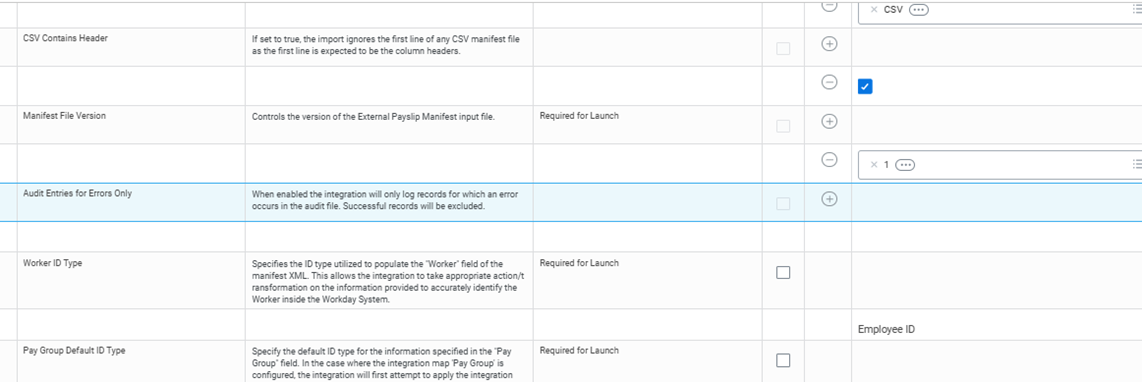
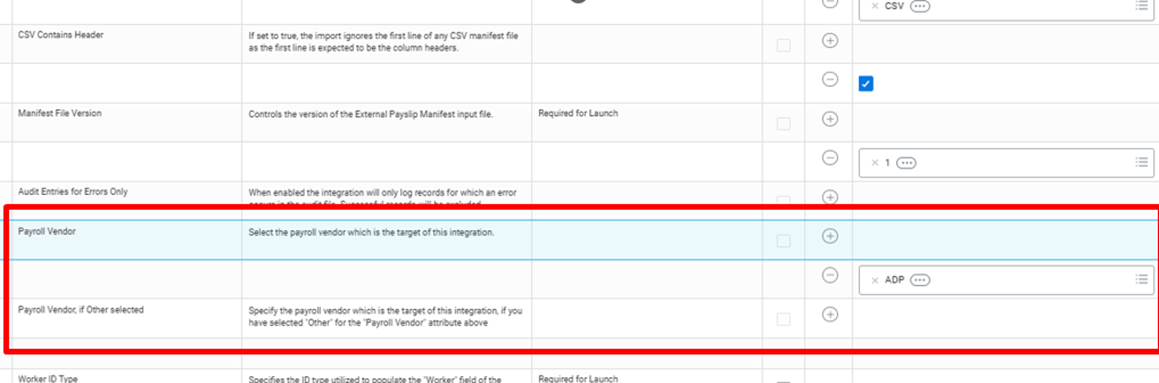
Two new Integration Attributes added:
- Payroll Vendor
- Payroll Vendor, if Other selected
Impact
Requires configuration update of existing inbound payroll integrations to define the applicable payroll vendor attribute.
Key Takeaway
Small configuration change — but governance-critical. Organizations using external payroll inbound integrations should proactively configure the new attributes during Preview.
Setup Required: - Automatically Available
Sandbox
Preview
Bank Account - Ban Type by Country Integration Map
What’s New?
Workday has introduced a new Bank Account – Ban Type by Country integration map to define bank account types by country when IBAN is not used.
Benefits
Improves accuracy in bank integrations and better supports implementation.
New Functionality
Provides better control when creating bank accounts through integrations, especially for countries that do not use IBAN.
Impact
You can now set bank account type country-wise for non-IBAN accounts in integrations.
Setup Required: - Automatically Available
Visual Representation of Stages in Datasets
What’s New?
Workday redesigns the dataset transformation interface to provide an interactive visual representation of your dataset stages and pipelines.
Benefits
- Visual representation of pipelines and stages improves the usability and accessibility of the data transformation tool.
- With the simplified navigation, you can manage stages and pipelines more efficiently.
New Functionality
On the Edit Dataset Transformations task, we now display the transformation stages visually on the new transformation canvas: a pipeline view at the top of the page, instead of a list view in the side panel:
- You can add, edit, debug, and delete stages from the canvas.
- You can show or hide the canvas, and change its height.
- You can click the list at the upper-left corner of the canvas to switch between your primary pipeline and any disconnected pipelines you may have, or select Add Pipeline to create a new pipeline.
- You can navigate between stages in the pipeline using the Tab key.
Setup Required: - Automatically Available
Update Stage Field Output Names
What’s New?
With this release, Workday enable us to bulk-update the output names of a Prism Analytics dataset.
Benefits
his feature enables you to change stage field output names in bulk instead of individually, saving you time and effort.
New Functionality
- We now provide an Update Output Names icon beside the Output Name column header on the Manage Fields page.
- When you click the icon, the Update Output Names dialog opens, where you can enter a case-sensitive search string to find text that you want to remove or replace, and apply changes one at a time or all at once.
- To apply your changes only to a subset of the dataset fields, you can type a search string in the Search Input Name field.
- Workday shows you the number of search results below the Find field, and shows you a preview of what the output names will be changed to below the Replace With field.
Setup Required: - Automatically Available
WQL Empty Numeric and Boolean Values for Related Business Objects
What’s New?
Workday has improved WQL to handle empty numeric and Boolean values from Related Business Objects more consistently.
Benefits
Provides consistent and predictable data output for both Primary and Related Business Objects.
New Functionality
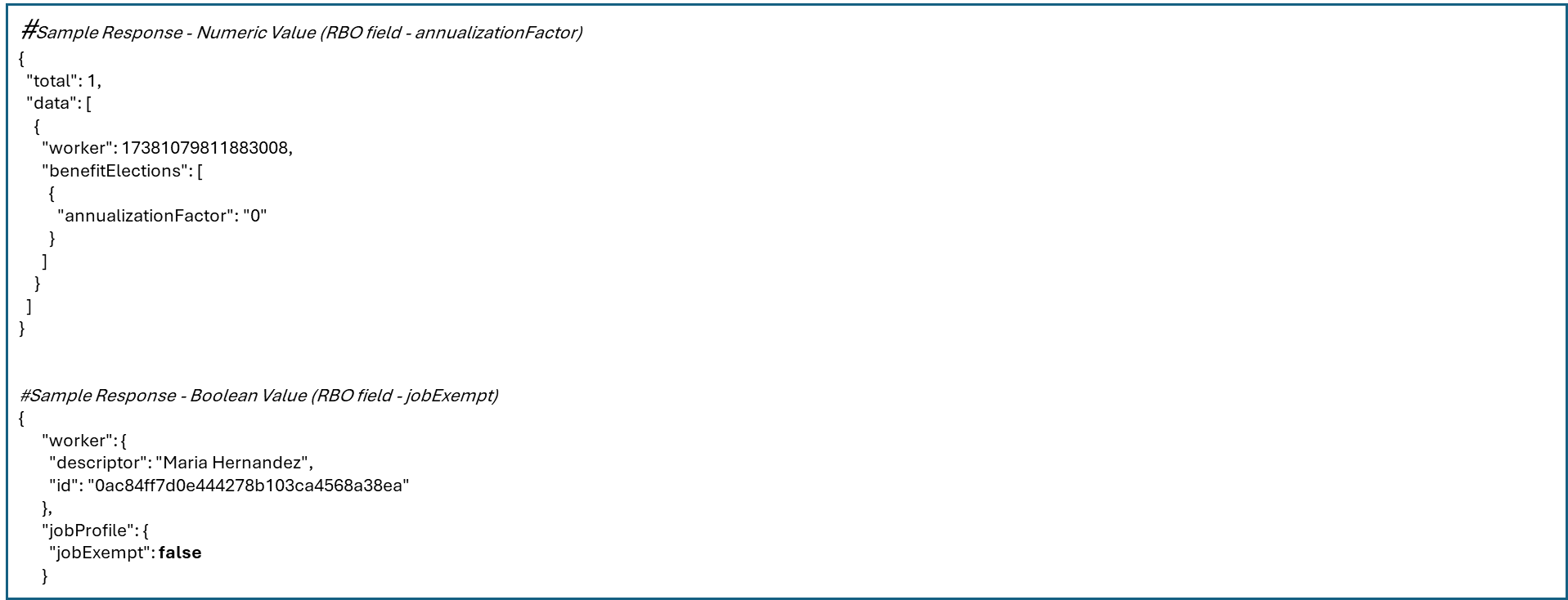
- If numeric fields are empty, WQL returns “0”.
- If Boolean fields are empty, WQL returns “false”.
Impact
Integration outputs now show 0 or false instead of blank values, which could affect downstream logic.
Key Takeaway
WQL now replaces blank number fields with 0 and blank Boolean fields with false, so the data stays consistent in integrations.
Setup Required: - Automatically Available
Object Transporter for Absence
What's New?
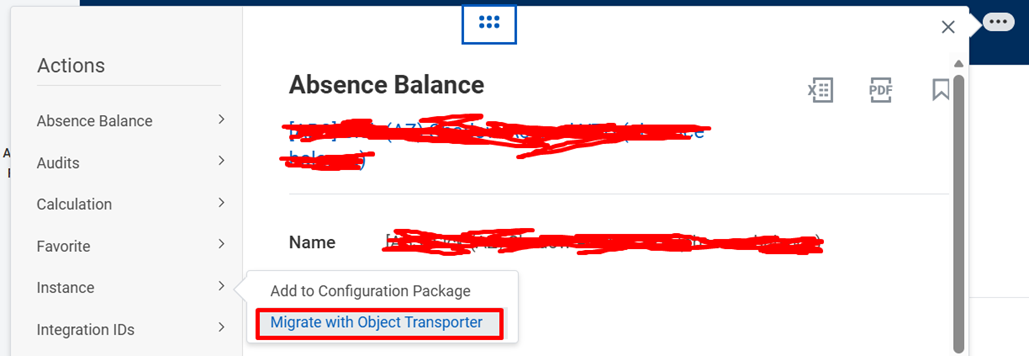
With this release, you can migrate additional Absence objects using Object Transporter.
Benefits
This update improves our ability to migrate Absence configuration data and objects from one tenant to another, either individually or as part of a configuration package.
New Functionality
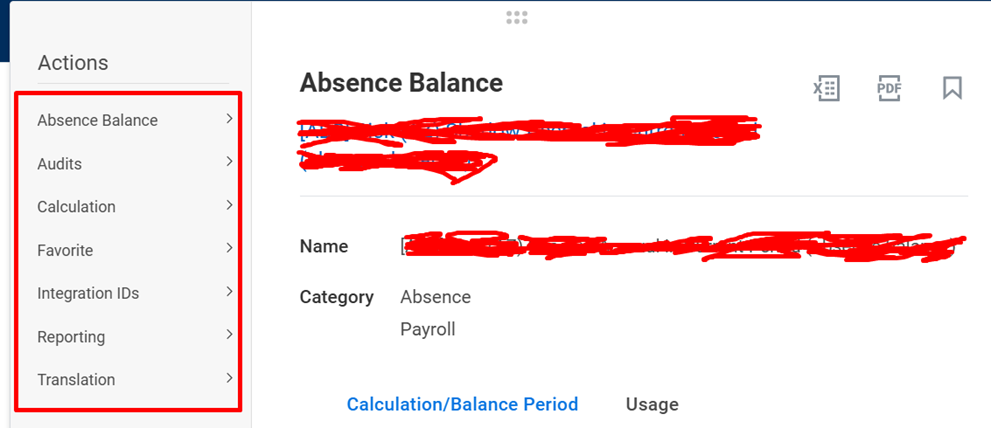
With this update, Workday enables you to migrate below Absence objects between tenants using Object Transporter:
- Absence Balances
- Absence Case Groups
- Absence Occurrence Types
- Leave of Absence Rules
- Leave Type Security Segments
- Team Absence Access Groups
- Time Off Types
- Time Off Unit of Time Conversion Calculations
Impact?
Reduces manual setup and migration risk for Absence configurations.
Key Takeaway
Improved Absence configuration migration; no end-user impact.
Setup Effort
To migrate objects and configuration packages, you need access to:
- Customer Central
- Object Transporter
Setup Required: - YES
Level of Effort:-
Data Changes on Demand REST API
What's New?
Enables you to make flexible requests for payroll interface pay groups on demand from Workday to your third-party payroll systems.
Benefits
When sending worker data to third-party payroll systems using the Data Changes on Demand REST API, you don't have to:
- Schedule integration runs.
- Use file-based outputs from Workday.
- Adhere to Workday interpretation of staffing event codes and business logic.
New Functionality
Updated the effective Changes REST API in the Global Payroll v1 REST web service to support the ability to report on specific data types.
Can use these multi-instance response filters to the POST /effective Changes endpoint:
- addressUsageTypes
- nationalIdTypes
- governmentIdTypes
- passportIdTypes
- visaIdTypes
- licenseIdTypes
- otherIdTypes
- phoneUsageTypes
- emailUsageTypes
Can use a boolean response filter IncludePayrollEffectedLeavesOnly.
Can also use an override Descriptor With Reference Id multi-select response filter that allows you to return Reference IDs instead of Descriptors for specific fields. Allowable options are:
- relatedPersonsDisability
- relatedPersonsDisabilityGrade
- personalDisabilityCertificationAuthority
- personalCityOfBirthPrompt
When you specify the override Descriptor With Reference Id response filter and specify only 1 of the options, then the integration reports both the:
- 1 as the ReferenceID.
- Rest as Descriptor.
Impact?
No impact to end users or payroll processing UI.
Key Takeaway
More precise, flexible payroll data integrations via enhanced REST API filters.
Setup Effort
To use the new response filters, include the relevant filter name, such as Include Payroll Effected Leaves Only, in the response Filter block of your Effective Changes REST API request.
Setup Required: - YES
Level of Effort:-
U.S. Federal Personnel Action Request Data Section in DCOD
What's New?
For U.S. Federal government workers, Workday adds the Personnel Action Request (PAR) data section to the Data Changes on Demand (DCOD) REST API
Benefits
When sending worker data to third-party payroll systems using the Data Changes on Demand REST API, you don't have to schedule integration runs, use file-based outputs from Workday, or adhere to Workday interpretation of staffing event codes and business logic.
New Functionality
New Personnel Action Request Data Section to DCOD. It includes these fields: Event Effective Moment, Event Entry Moment ,WID.
Impact?
This feature is specific to U.S. Federal customers
Setup Effort
This feature is specific to U.S. Federal customers. Update to the latest version as required.
Setup Required: - YES
Level of Effort:-
Schedule Positive Pay Files for Workday Bank Connectivity
What's New?
You can now schedule positive pay integrations to send new check information for all payment printing runs.
Benefits
You can now schedule positive pay integrations to transmit new check details for all payment print runs within a specified date range, with optional filters for financial institution and bank account.
Note: Available to Workday Bank Connectivity SKU users only.
New Functionality
New launch parameter in Workday Bank Connectivity – Positive Pay Integration template.
Impact?
There's no impact on your existing Workday Bank Connectivity integrations.
Setup Effort
To schedule positive pay files with Workday Bank Connectivity:
- Purchase and configure the Workday Bank Connectivity SKU ( Manage Workday Bank Connectivity under Related Information).
- Ensure users who schedule or launch integrations also have access to payment printing runs.
- Create a new integration system using the Workday Bank Connectivity – Positive Pay template.
- Schedule or launch the integration system.
Setup Required: - Yes
Level of Effort:-
Award Disbursement Adjustments and Corrections (Financial Aid)
What's New?
Workday updates how loan disbursement adjustments and corrections are reported to the Department of Education (COD system).
Benefits
Aligns disbursement reporting with Department of Education guidance and improves student loan interest accuracy.
New Functionality
- Adjustments will now default to being sent with a new disbursement sequence number. Uses the actual Disbursement Date shown in the student profile
- Aligns with ED best-practice reporting guidance. Automatically converts anticipated disbursements with outstanding amounts
Report Field Updates:
- Student Anticipated Disbursements – New records for unpaid prorated portions
- Loan Fee Amount – Calculated across split gross amounts (may impact rounding)
- New Amount Accepted – Net amount may differ due to revised fee calculation
Impact?
Automatically applied correction that may result in new sequence numbers and minor report value differences due to recalculated loan fees.
Key Takeaway:
This is a compliance-driven correction that improves regulatory alignment and student financial accuracy without requiring customer action.
Setup Required: - https://doc.workday.com/release-notes/en-us/stufad/9296918.html
Level of Effort:-
Global Payroll Hub (GPH) Enhancements
What's New?
Workday enhances Global Payroll Hub (GPH) under Global Payroll Connect to improve payroll visibility and usability across third-party payroll systems.
Benefits
Improves payroll operational efficiency by centralizing visibility and enabling better checklist management across global third-party payroll systems.
New Functionality
- Archive button added to GPH checklists (with confirmation message)
- Archived checklists filtered from summary and detail pages
- Delete (trash) icon added for checklist comments (visible only to comment author)
- Responsive View Comments and Attachments page (adapts to screen size)
- Network error messages now display HTTP status codes for easier troubleshooting
Note: Auditing is not currently supported for archive/delete actions.
Impact?
Automatically available enhancement that introduces checklist archiving and comment deletion capabilities, with no audit tracking for these actions.
Key Takeaway:
This usability-focused enhancement strengthens payroll control and troubleshooting within GPH, but organizations should establish governance around checklist archiving due to lack of audit tracking.
Setup Required: -https://doc.workday.com/content/ilx/release-notes/en-us/payexternal/8820271.html
Level of Effort:-
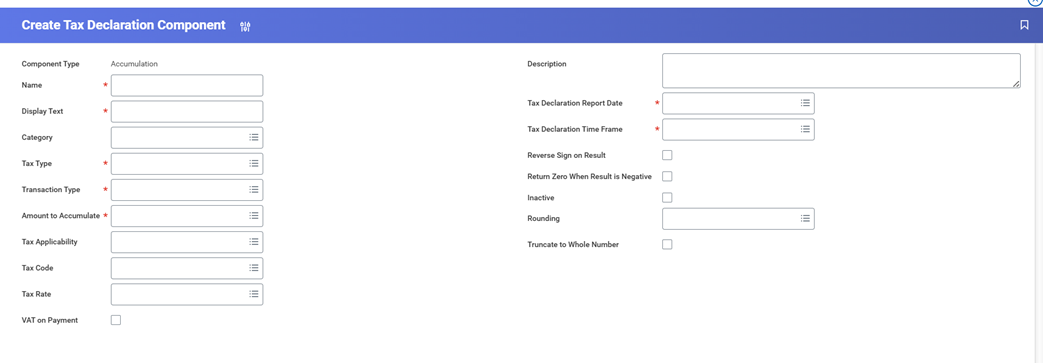
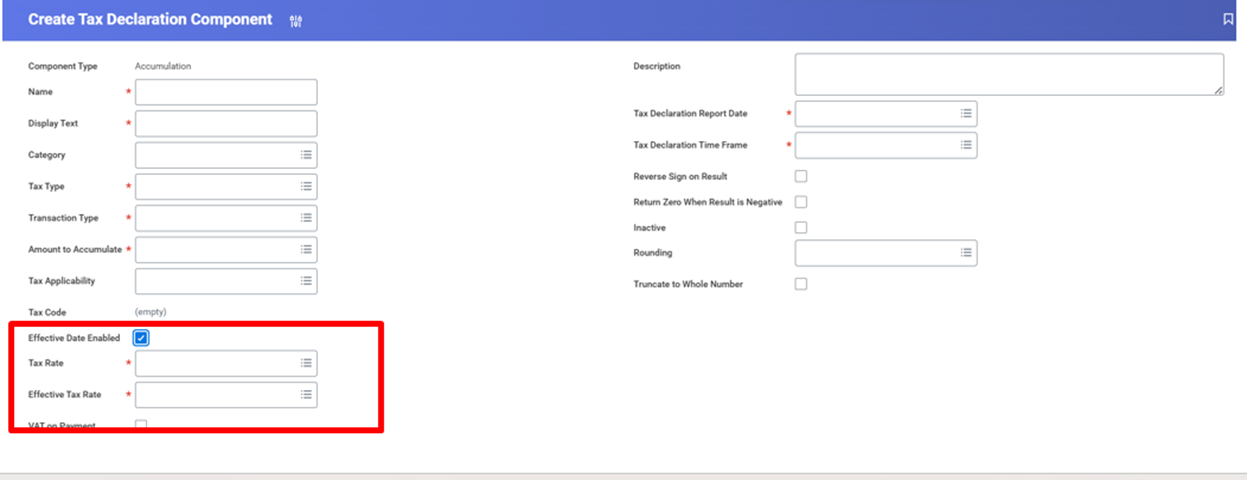
Tax Rate Effective Dates on Tax Declaration Accumulation Components
What’s New?
Workday now allows tax rate changes to be declared on separate tax declaration lines by enabling effective dates on tax declaration accumulation components.
Benefits
Eliminates the need to create separate tax rates for rate changes, reducing compliance risk and simplifying tax reporting configuration.
Impact
Requires configuration updates to new or existing tax declaration accumulation components, with restrictions if the component is already used in an approved tax declaration.
Key Takeaways
This is a compliance-focused enhancement that improves tax rate management by supporting effective-dated tax rates within the same component structure.
What's Changing?
New fields introduced
- Effective Date Enabled (checkbox)
- Tax Rate
- Effective Tax Rate
Setup Required: - https://doc.workday.com/release-notes/en-us/fintax/10329989.html#Impact-tab
Level of Effort:-
External Payroll Input Attachments
What’s New?
Workday now allows you to add, view, and delete supporting file attachments directly within External Payroll Input records via the Maintain External Input for Worker task.
Benefits
Improves payroll accuracy, validation, and audit readiness by centralizing supporting documents directly within external payroll records.
Impact
Automatically available with no setup required, but organisations should review governance and data privacy processes for attachment management.
Key Takeaways
This is a traceability- and audit-strengthening enhancement that centralises payroll evidence within Workday, improving operational control without impacting integrations.
What's Changing?
New Attachments column to upload files :
- View External Payroll Input by Worker report
- External Payroll Input by Batch ID report
- New External Payroll Input Attachment report field for custom reporting
(Note: Attachments are not included in payroll integrations such as PECI, PICOF, WECI, or DCOD.)
Setup Required: - https://doc.workday.com/release-notes/en-us/payexternal/9386398.html
Level of Effort:-
HCM
Require Comments on Business Process Approval Steps
What's New?
- Workday now allows administrators to make comments mandatory for approvers before they approvecertain business process steps.
- A new task, “Maintain Additional Step Configuration,” is introduced to control this setting at the approval step level.
Benefits
- Strengthens audit compliance by capturing justification for approvals.
- Supports segregation of duties by ensuring approvers provide reasoning.
- Improves transparency and traceability in decision-making.
- Applies to both individual approvals and Bulk Approve actions.
Impact
- Approvers must provide comments before completing approvals when the feature is enabled.
- Enhances audit readiness by creating a clear approval justification trail.
- May slightly increase approval time due to mandatory comment entry.
- Requires Business Process Admin security access to configure.
Key Takeaway
- Helps organizations meet audit and compliance requirements.
- Ensures accountability in approval decisions.
- Easy to configure at the step level using the new configuration task.
- Tenant-level settings can override this feature, so setup should be reviewed carefully.
Note:
If “Disable Comments” is enabled in Tenant Setup, it will override this feature.
Setup Required: - Automatically Available
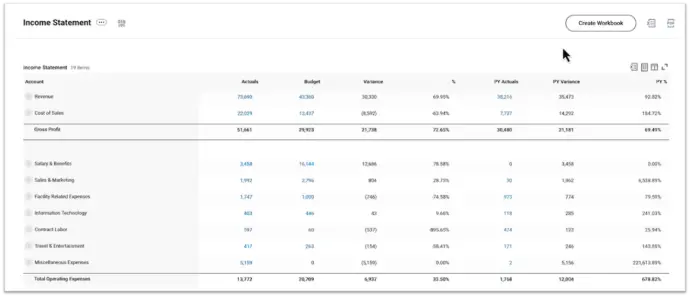
Create Workbooks from Composite Reports
What's New?
- New “Create Workbook” button on Composite Reports.
- Instantly convert report data into a live Worksheet workbook.
Benefits
- Faster analysis with no manual setup.
- Live, refreshable data within Workday.
- Reduces duplicate report creation.
NEW FUNCTIONALITY
- One-click workbook creation from Composite Reports.
- Adds report data as live data in Worksheets.
- Requires Composite Report + Worksheets access.
Impact
- Saves time in moving from reports to analysis.
- Reduces manual data handling.
- Encourages use of Worksheets for insights.
Key Takeaway
- Quick conversion of reports into live workbooks.
- Real-time data with minimal effort.
- Simple, secure, and efficient reporting experience
Setup Required: - Automatically Available
Contextual Commenting in Worksheets for Composite Report Data and Commenting Enhancements
What's New?
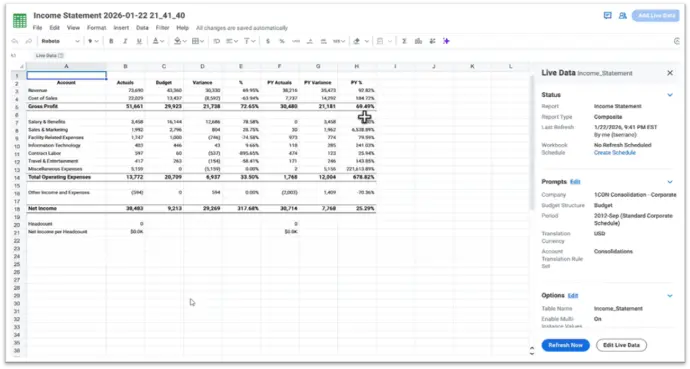
- Contextual commenting added to live data from Composite Reports in Worksheets.
- New unified commenting UI with better visibility and interaction.
Benefits
- Keeps discussions tied to actual data for better clarity.
- Improves collaboration without using external tools.
- Reduces confusion during data reviews and decision-making.
NEW FUNCTIONALITY
- Add comments to specific cells using right click → Insert Comment.
- Comments stay linked even when data refreshes.
- Snapshot of cell value stored with each comment.
- Threaded discussions, filters, and resolution options available.
Impact
- Makes Worksheets more interactive and collaboration-focused.
- Helps teams track assumptions, questions, and decisions in one place.
- Speeds up analysis by keeping conversations within the workbook.
Key Takeaway
- Comments now stay connected to live report data.
- Easier to track changes with value snapshots.
- Cleaner experience with new Collaborate panel and filters.
- Currently supported for Composite Reports data only.
Setup Required: - Automatically Available
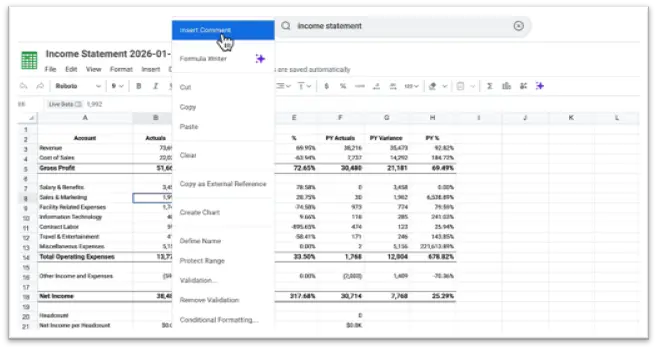
Selecting Specific cell you want to comment on or make changes.
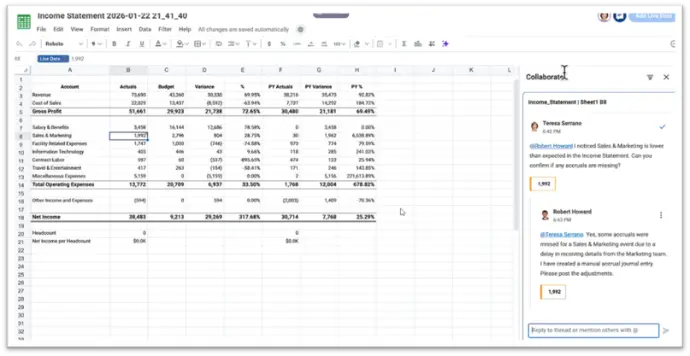
You can comment by mentioning them, and the comment will appear in their notification box. They can reply directly from there.
Composite Reports on Report Steps
What's New?
- Composite Reports can now be added directly to Business Process report steps.
- Prompt values can be set to control what data is shown.
Benefits
- Shows richer, multi-source data within the process.
- Reduces need to leave the task to run reports.
- Supports quicker and better-informed decisions.
NEW FUNCTIONALITY
- Select a Composite Report while configuring a report step.
- Set prompts to filter data for users.
- Report appears automatically when the step is reached.
Impact
- Improves visibility of key data during approvals and reviews.
- Makes report steps more powerful and informative.
- No additional setup required; available by default.
Key Takeaway
- Business processes can now display advanced report insights directly.
- Keeps users focused within the workflow.
- Existing report steps continue to work as is.
Setup Required: - Automatically Available
Filter on Worker History Events in Custom Reports -Workday® 2025 R2
What's New?
- Enhanced experience to identify and restart business processes in error.
- New searchable “Fix Business Process” task for direct access.
NEW FUNCTIONALITY
- Error items now appear at the top of My Tasks.
- New field shows which business process definitions have exceptions.
- Standalone task allows admins to restart events via search.
Benefits
- Faster error resolution.
- Better visibility of failed process events.
Impact
- Saves time in troubleshooting.
- Reduces dependency on My Tasks access.
Key Takeaway
- Easier to find, fix, and restart processes in error.
- Improved control and visibility for administrators.
Setup Required: - Automatically Available
AI-Generated Translations in Notification Designer
What's New?
- AI-generated translations added in Notification Designer.
- New Translations panel replaces the Language panel.
Benefits
- Speeds up creation of multilingual notifications.
- Reduces manual translation effort.
NEW FUNCTIONALITY
- Enable via “Enable Machine Translations for Notification Designer” in Tenant Setup.
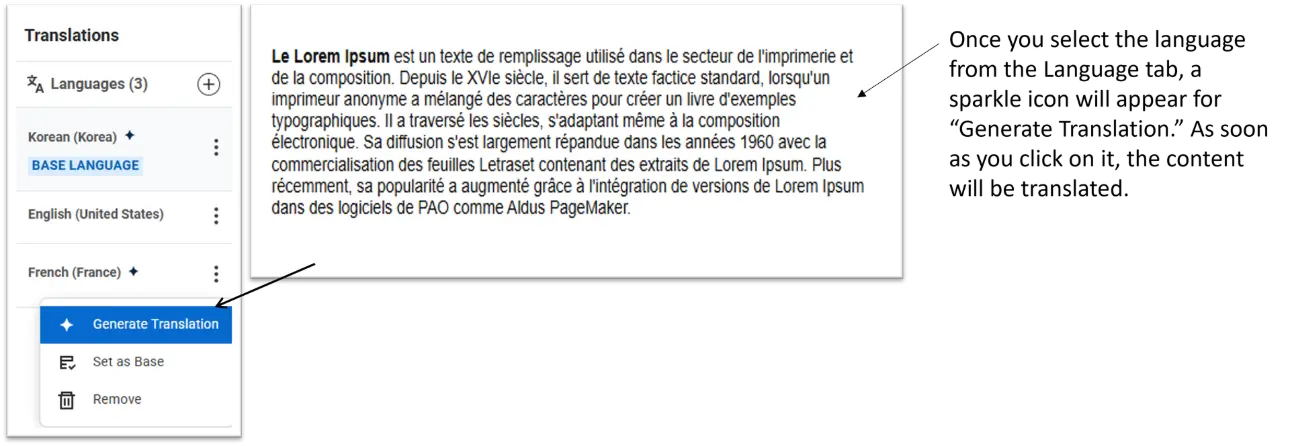
- Generate translations automatically while adding languages.
- Option to overwrite or update translations anytime.
- Visual indicators show AI-generated content.
Impact
- Faster rollout of global communications.
- Requires review of AI translations before publishing.
Key Takeaway
- Quick, automated translation within Notification Designer.
- Helps support global users with minimal effort.
Setup Required: - Setup Required
Absolute Session Timeout
What's New?
- New Absolute Session Timeout setting added to Maintain Password Rules.
- Options available: 8, 12, or 24 hours (default: 24 hours).
Benefits
- Better control over user session security.
- Helps reduce risk from long inactive sessions.
NEW FUNCTIONALITY
- Admins can define maximum session duration in hours.
- Applies only to newly created user sessions.
Impact
- Shorter timeouts may require users to log in more frequently.
- No effect on already active or shared sessions
Key Takeaway
- Simple way to strengthen session security.
- Flexible timeout options based on organizational needs.
Setup Required: - Setup Required
Object Transporter for Configurable Security
What's New?
- Object Transporter now supports migration of configurable security objects.
- Security groups and related permissions can be moved across tenants.
Benefits
- Greater flexibility in migrating security setups.
- Avoids overwriting existing permissions in the target tenant.
NEW FUNCTIONALITY
- Migrate individual security groups or as part of a configuration package.
- Supports multiple security group types, domain policies, and dependencies.
- Dependency checks supported via the Object Transporter Supported Objects report.
Impact
- Simplifies tenant-to-tenant security migration.
- Requires careful review of dependencies before transport.
- Access needed to Customer Central and Object Transporter.
Key Takeaway
- Easier and safer migration of configurable security.
- Reduces manual recreation of security in target tenants.
- More controlled deployment of security configurations
Setup Required: - Setup Required
PAYROLL
State-Level Exceptions for Local Resident Taxes
What's New?
-
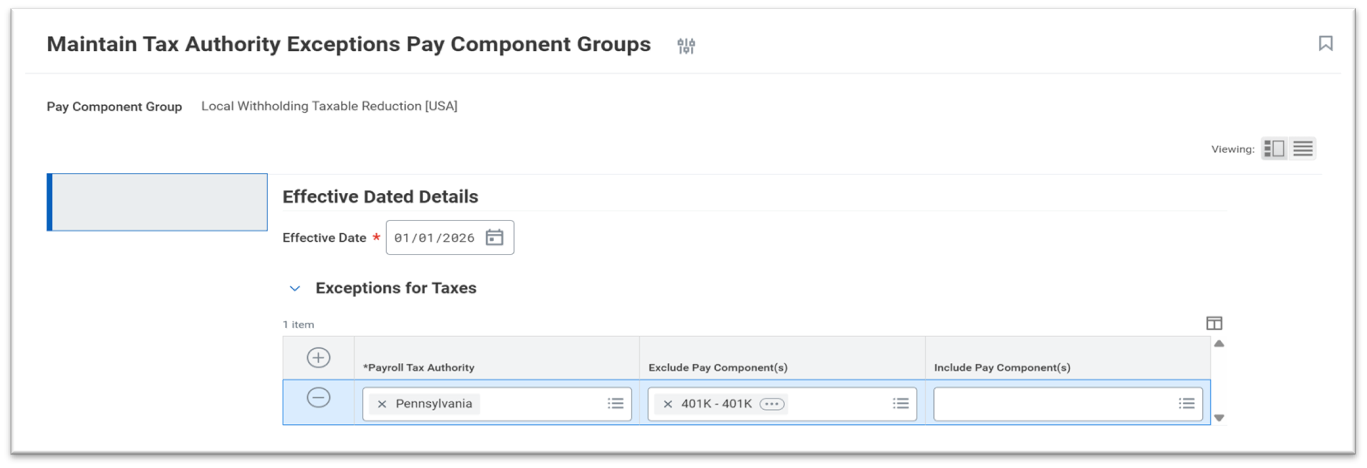
Workday enables state-level tax authority exceptions to automatically apply to all local resident taxes within the same state.
Benefits
- Eliminates the need to maintain separate exceptions for each local authority.
- Reduces configuration complexity in states with numerous local taxes.
- Improves consistency of local tax calculations.
New Functionality
- State-level exceptions now cascade to all related local resident taxes.
- Applies to multiple local withholding pay component groups.
Impact
-
Existing state-level exceptions automatically apply to all related local resident taxes. If not reviewed, this may impact pay calculations where exceptions were previously limited to specific local authorities.
Key Takeaway
-
Workday simplifies local tax exception management by extending state-level rules automatically
Setup Required: - Automatically Available
Payroll Payment Discrepancy Detection
What's New?
- Workday validates that the net pay amount matches the total payroll payment amount before payroll completion.
Benefits
- Prevents overpayments and underpayments.
- Reduces payroll reversals and manual corrections.
- Improves payroll accuracy before settlement.
New Functionality
- Payroll results enter Error status if amounts do not match.
- Validation applies to on-cycle, off-cycle, and manual payments.
Impact
- Payroll cannot be completed or approved when payment totals do not match net pay. The payroll result remains in Error status until corrected.
Key Takeaway
- Workday introduces a built-in safety check to protect payroll payments.
Setup Required: - Automatically Available
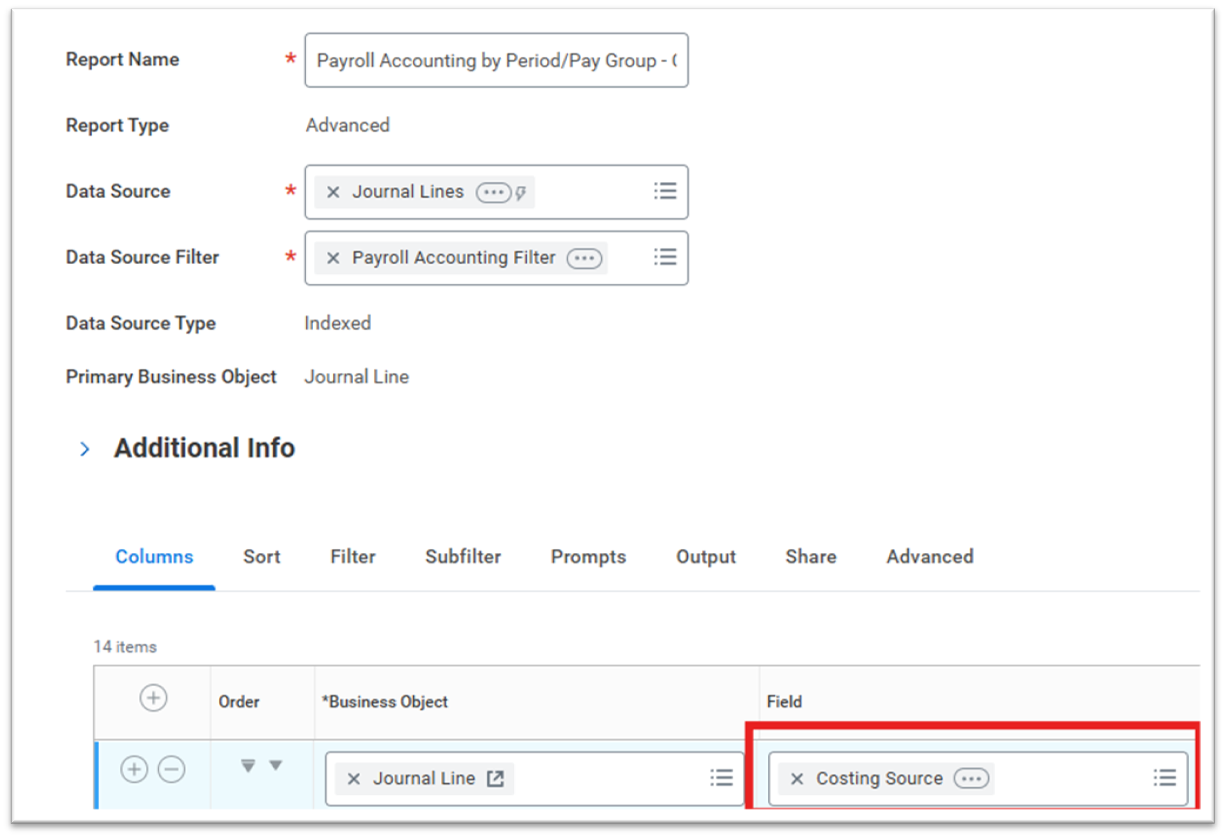
Costing Source for Payroll Accounting Reporting
What's New?
A new Costing Source field allows payroll journal lines to be traced back to the costing allocation rule that generated them.
Benefits
- Improves auditability and financial transparency.
- Reduces investigation time during reconciliations.
- Enhances payroll accounting reporting.
New Functionality
- Costing Source field added to journal line reporting.
- Clickable link opens the costing allocation rule used at processing time.
Impact
- Requires report updates and appropriate security to view the new field.
Key Takeaway
-
Workday improves traceability of payroll accounting transactions.
Setup Required: - Automatically Available
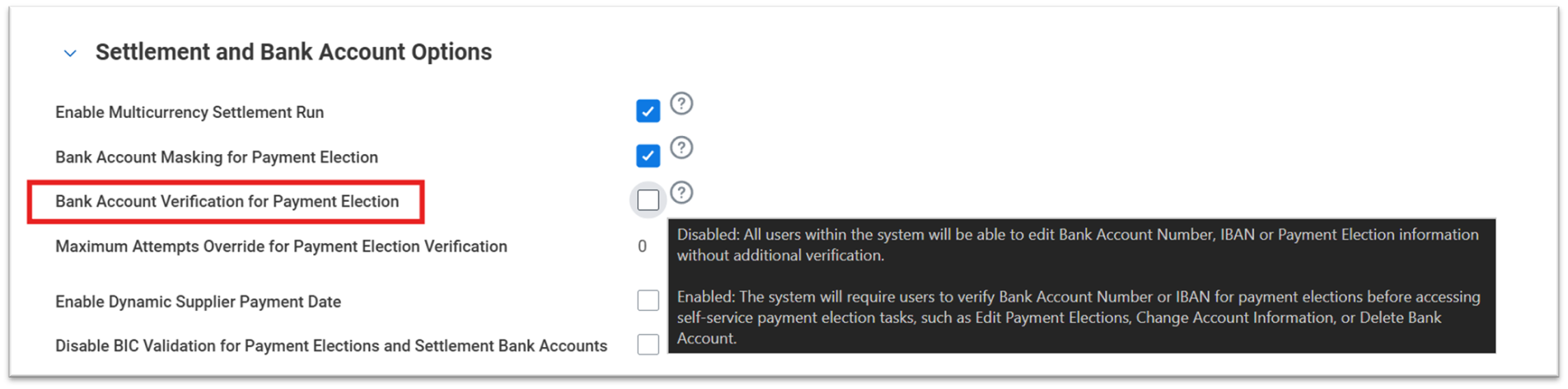
Bank Account Verification Display
What's New?
The bank account verification screen now clearly identifies which account a worker is verifying.
Benefits
- Helps workers distinguish between similar bank accounts.
- Reduces incorrect verification attempts.
- Lowers payroll and HR support requests.
New Functionality
- Displays account nickname or bank name, account type, and masked last four digits.
- Appears only if Bank Account Verification is enabled.
Impact
-
If Bank Account Verification is enabled, the updated account identification display appears automatically. If not enabled, there is no impact
Key Takeaway
-
Workday improves clarity and accuracy in employee payment election
Setup Required: - Automatically Available

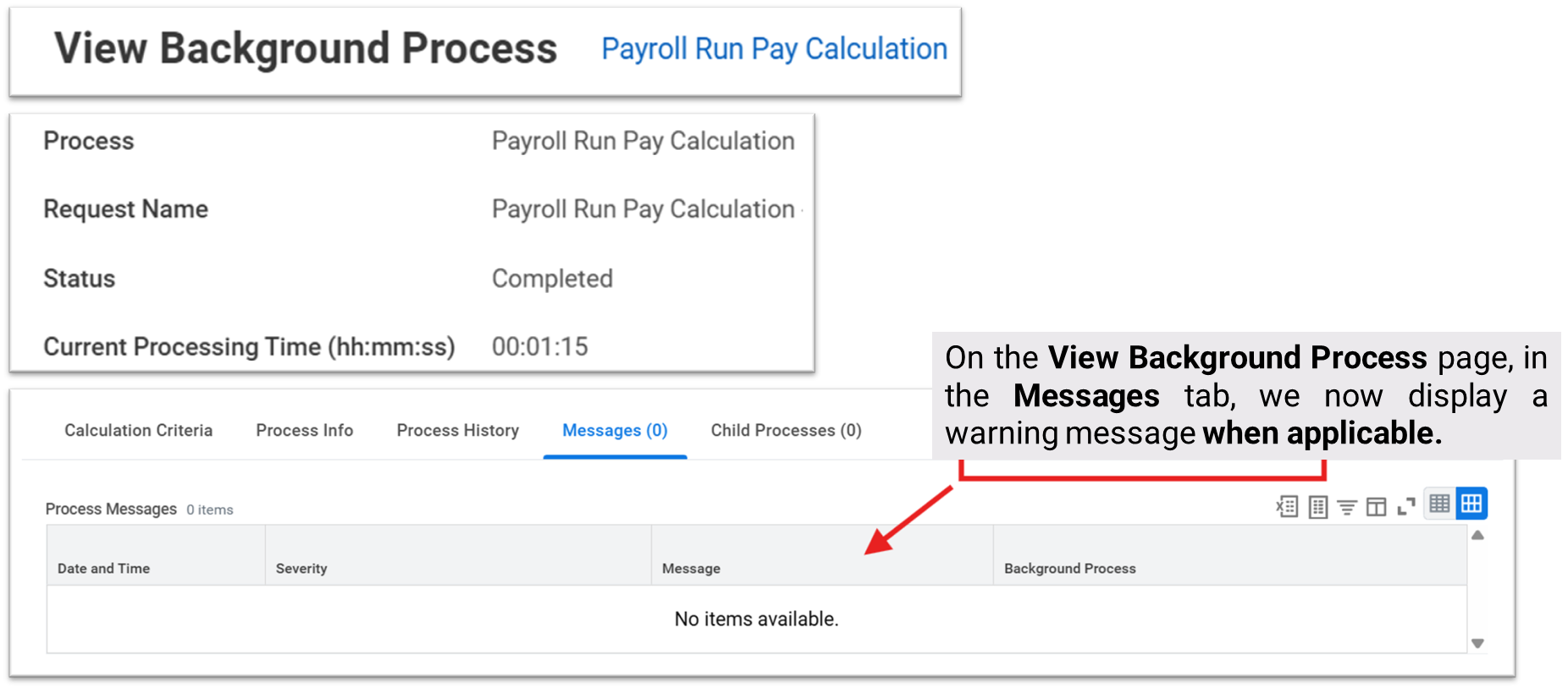
Payroll Circular Reference Calculation Warning
What's New?
-
Workday now warns payroll administrators when circular references occur in pay component calculations.
Benefits
- Helps identify configuration errors early.
- Prevents inaccurate payroll results.
- Improves troubleshooting efficiency.
New Functionality
- Warnings appear on the View Background Process page.
- Each impacted pay component is listed.
Impact
-
Payroll teams must review and correct warnings before proceeding.
Key Takeaway
-
Workday adds proactive visibility into complex payroll calculation issues.
Setup Required: - Automatically Available
Advanced Lookup Table Snapshot Selection
What's New?
-
Payroll administrators can now select a specific snapshot when editing advanced lookup tables.
Benefits
- Improves performance for large lookup tables.
- Reduces page load time and system strain.
- Improves admin experience.
New Functionality
- Snapshot prompt appears only for advanced tables with snapshots.
- Admins can still load all data if required.
Impact
- No change if snapshot selection is not used.
Key Takeaway
-
Workday enhances lookup table performance without changing existing behavior.
Setup Required: - Automatically Available

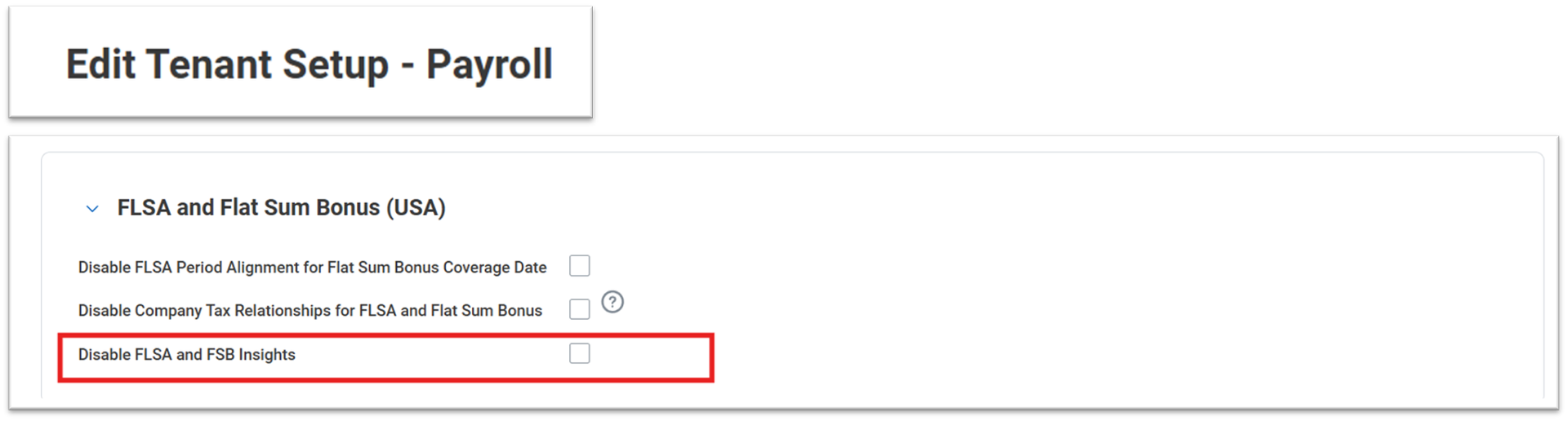
FLSA and FSB Insights
What's New?
-
AI-powered insights assist administrators while configuring FLSA and Flat Sum Bonus earnings.
Benefits
- Reduces reliance on manual documentation review.
- Simplifies complex compliance-driven configurations.
- Provides context-aware guidance.
New Functionality
- Displays summarized guidance from the Admin Guide.
- Adjusts recommendations based on tenant configuration.
Impact
- Admins may disable the feature if desired.
Key Takeaway
- Workday embeds compliance guidance directly into payroll configuration.
Setup Required: - Automatically Available
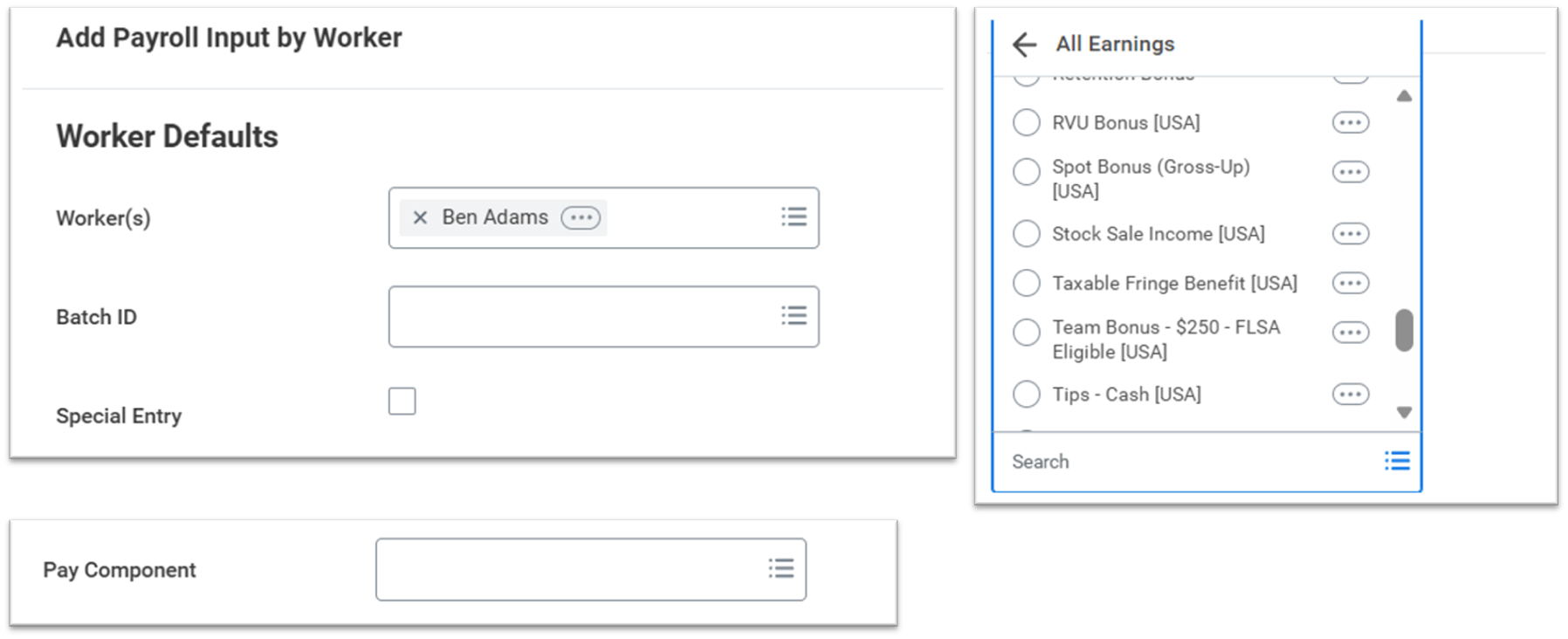
Dynamic Earnings and Deductions for Workers
What's New?
-
Earnings and deductions available for payroll input are now dynamically filtered by worker pay group and country.
Benefits
- Reduces risk of incorrect payroll inputs.
- Improves usability of payroll input tasks.
- Simplifies navigation.
New Functionality
- Nested menus removed from payroll input tasks.
- Only eligible pay components are displayed.
Impact
-
The updated display of earnings and deductions is automatically enabled. No action is required to use the feature.
Key Takeaway
- Workday streamlines payroll input with intelligent filtering.
Setup Required: - Automatically Available
Job Profile and Job Family Report Fields
What's New?
New Job Profile and Job Family fields are added to payroll result reporting..
Benefits
- Improves reporting clarity by job structure.
- Supports audits and off-cycle analysis.
- Reduces report complexity.
New Functionality
Fields return primary job values or off-cycle overrides.
Impact
Existing reports are unaffected unless updated.
Key Takeaway
Workday enhances payroll reporting with job-based insights.
Setup Required: - Automatically Available
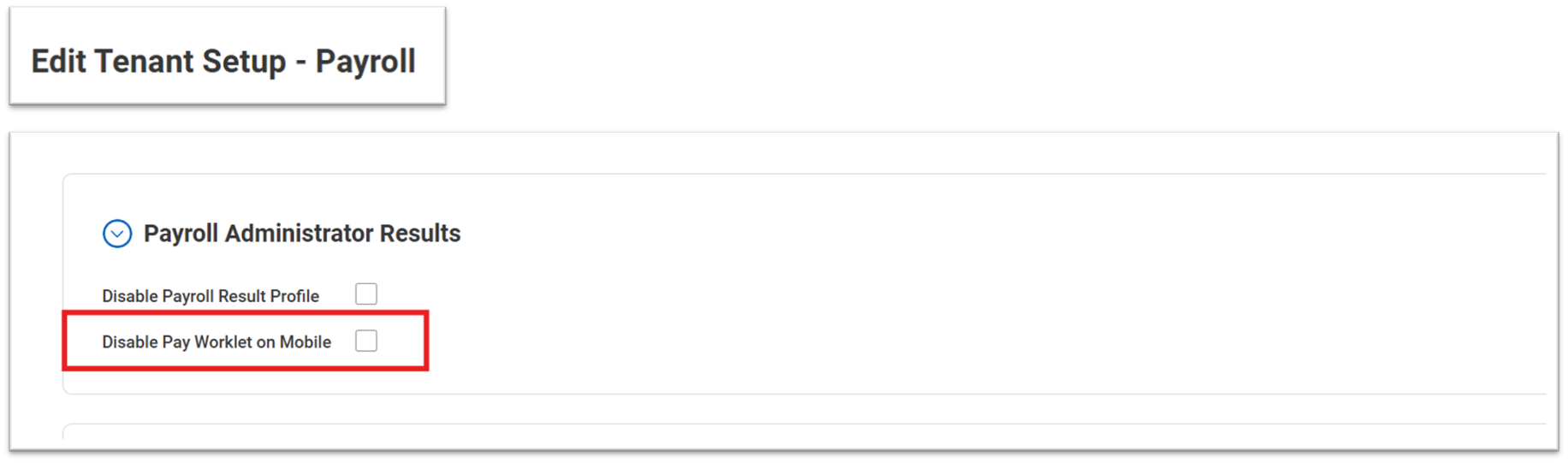
Disable Pay Worklet on Mobile
What's New?
Organizations can control whether the Pay Worklet is available on mobile devices.
Benefits
- Supports self-service experience strategy.
- Avoids confusion between desktop and mobile access.
- Encourages adoption of the Benefits and Pay Hub.
New Functionality
Renamed tenant setting applies only to mobile devices.
Impact
No impact if the setting is not changed
Key Takeaway
Workday gives organizations flexibility over mobile payroll self-service.
Setup Required: - Automatically Available
Tax Authority Exceptions Web Services
What's New?
Public web services now support retrieving and updating tax authority exceptions using EIBs.
Benefits
- Enables automation of payroll configuration.
- Supports large-scale updates.
- Improves deployment consistency.
New Functionality
Get and Put services available for standard and flat sum bonus exceptions.
Impact
Optional use for customers leveraging integrations.
Key Takeaway
Workday opens payroll configuration to integration-based management.
Setup Required: - Automatically Available
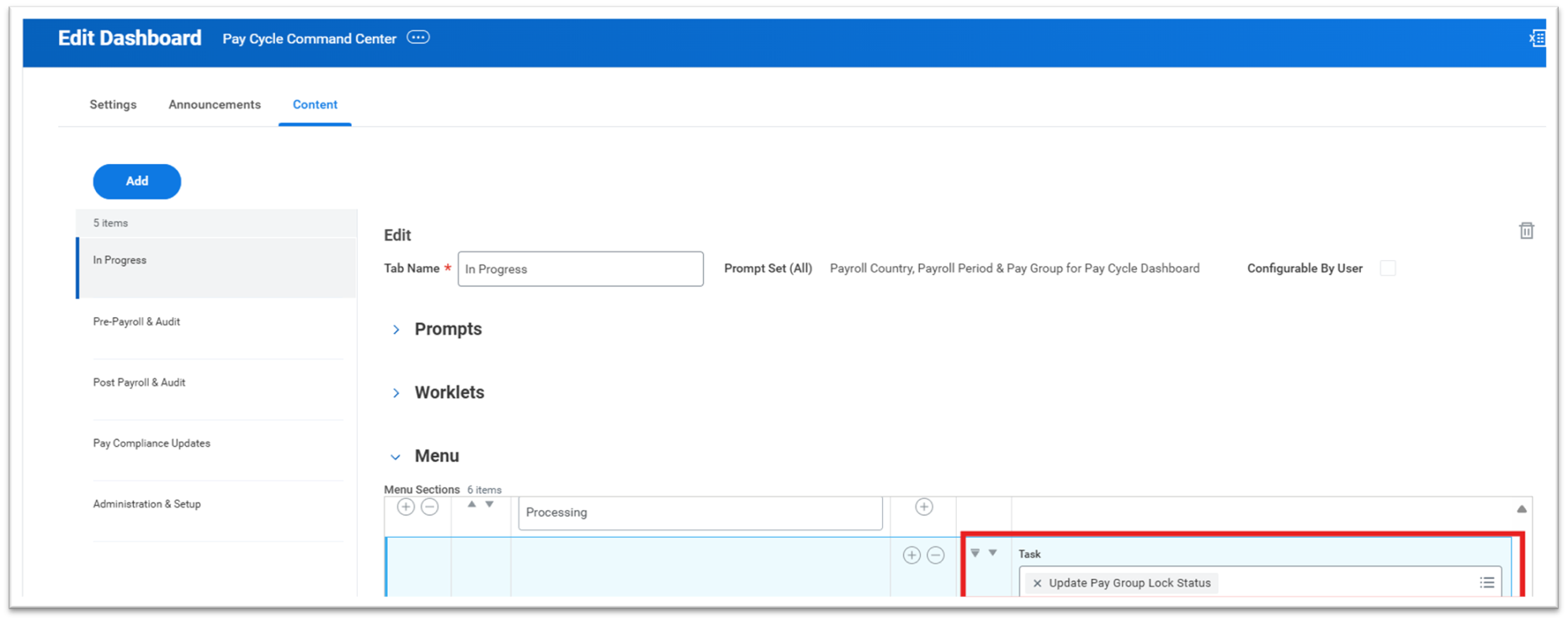
Pay Cycle Command Center – Pay Group Lock Status
What's New?
The Update Pay Group Lock Status task can now be accessed directly from the Pay Cycle Command Center.
Benefits
- Speeds up payroll cycle control.
- Reduces navigation across tasks.
- Improves operational efficiency.
New Functionality
Task can be added to the Processing menu on the dashboard.
Impact
Requires dashboard configuration to enable visibility.
Key Takeaway
-
Workday centralizes key payroll controls in the Pay Cycle Command Center.
Setup Required: - Setup Required
Payroll Agent
What's New?
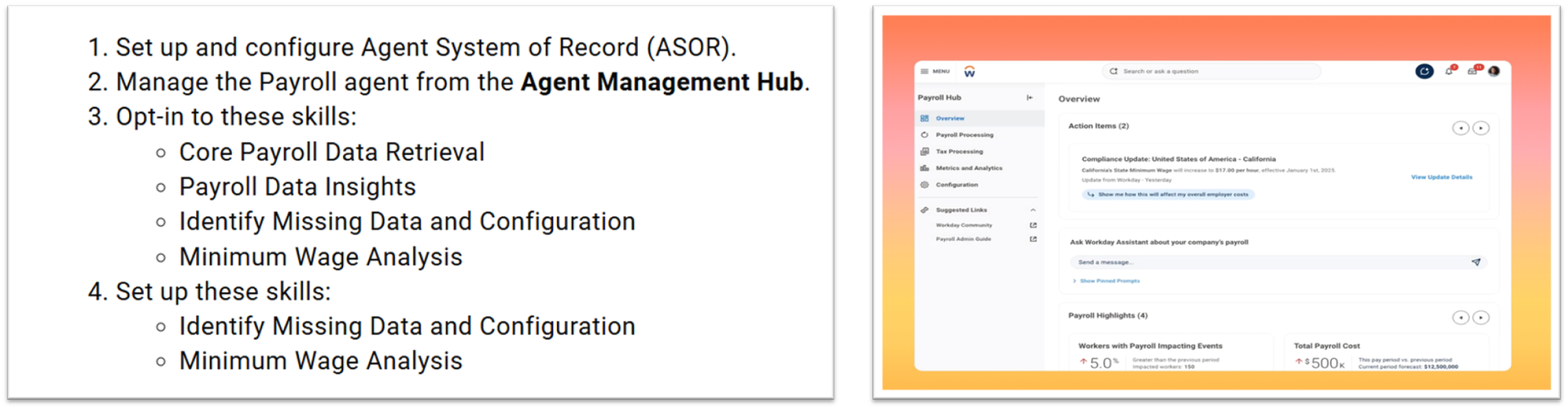
- Payroll Agent is an AI-powered conversational assistant designed to support payroll practitioners inside Workday.
Benefits
- Reduces time spent searching for payroll data.
- Identifies missing data and configuration issues proactively.
- Supports minimum wage impact analysis.
New Function
- Provides payroll data insights through natural language queries.
- Detects missing payment elections and expiring configurations.
- Analyzes minimum wage changes for supported countries.
Impact
Requires ASOR setup, skill opt-in, and governance for AI usage.
Key Takeaway
- Workday introduces AI assistance to modernize payroll operations.
Setup Required: - Setup Required
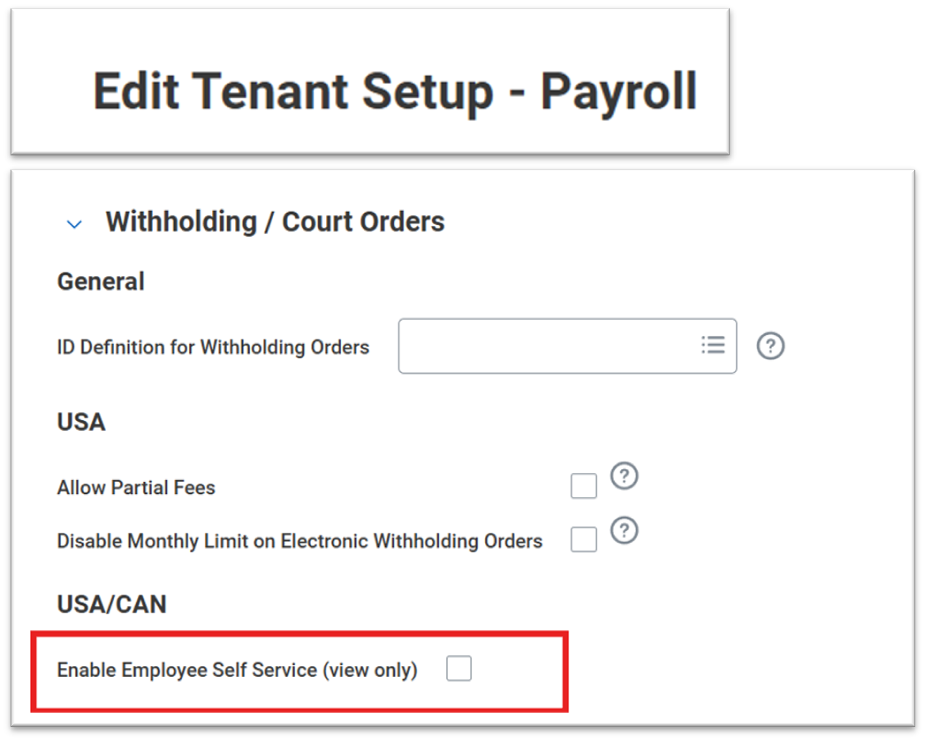
Withholding Orders for Employee Self Service
What's New?
Workers can now view their active and historical withholding orders through employee self-service
Benefits
- Reduces payroll admin inquiries.
- Improves transparency for employees.
- Supports mobile and desktop access.
New Function
- View-only access to withholding order details
- Includes Total Debt Amount visibility
Impact
Requires tenant setup to enable self-service access.
Key Takeaway
Workday empowers employees with controlled access to withholding information.
Setup Required: - Automatically Available
Object Transporter for Payroll for the U.S.
What's New?
Additional U.S. Payroll objects can now be migrated between tenants using Object Transporter.
Benefits
- Reduces manual reconfiguration effort.
- Improves consistency across environments.
- Supports implementation and testing cycles.
New Functionality
Supports Company, State, and Local Tax Reporting objects.
Impact
Requires access to Customer Central and Object Transporter.
Key Takeaway
Workday expands automation for U.S. Payroll migrations.
Setup Required: - Setup Required
Global Payroll Hub and Payroll Processing Checklist
What's New?
The Global Payroll Hub now supports pay groups processed directly in Workday and introduces payroll processing checklists.
Benefits
- Centralizes payroll insights and controls.
- Reduces manual tracking and audits.
- Improves payroll governance.
New Functionality
- Provides summary, detail, overview, and task pages.
- Supports checklist creation and management.
Impact
Checklist templates must be created before use.
Key Takeaway
Workday delivers a unified control center for global payroll processing.
Setup Required: - Setup Required
Pay Accounting Reallocation
What's New?
Pay Accounting Reallocation allows payroll accounting to be corrected for completed payrolls when retro costing changes occur.
Benefits
- Corrects accounting without rerunning payroll.
- Handles salary over the cap and retro scenarios.
- Improves audit and reconciliation accuracy.
New Functionality
- Corrects accounting without rerunning payroll.
- Handles salary over the cap and retro scenarios.
- Improves audit and reconciliation accuracy.
Impact
Requires enablement, security setup, and careful governance.
Key Takeaway
- Workday introduces a robust framework for correcting historical payroll accounting.
Setup Required: - Setup Required
TALENT & PERFORMANCE
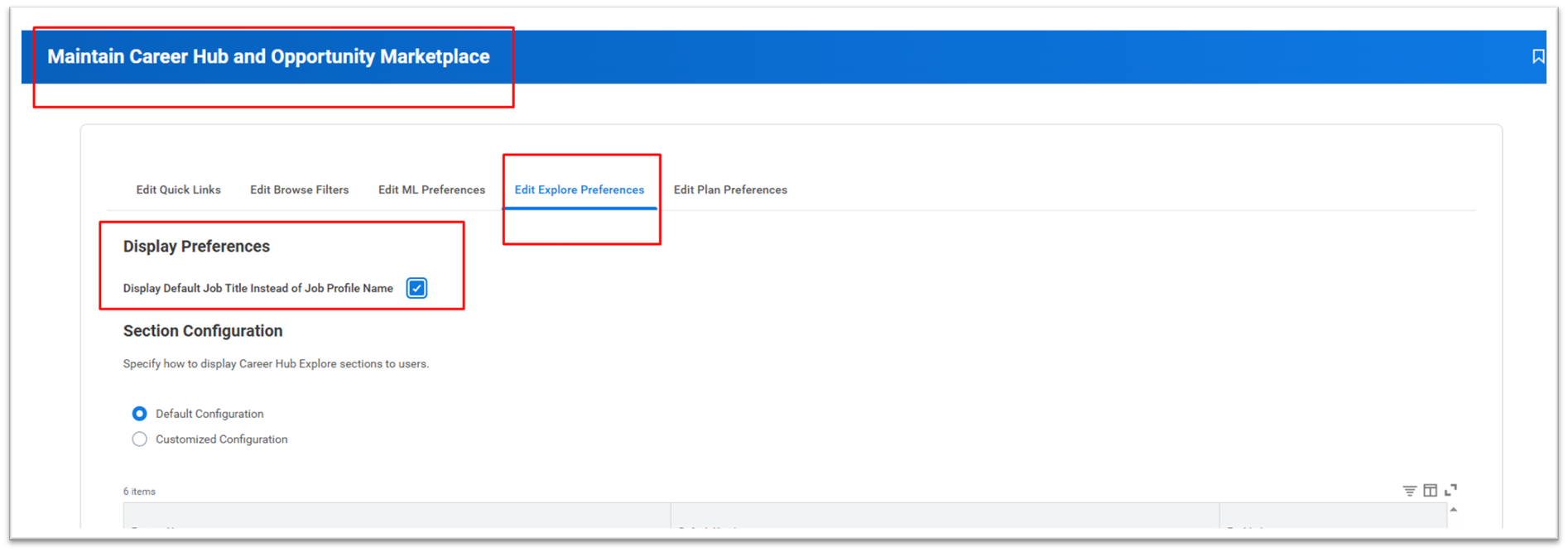
Display Default Job Title Instead of Job Profile Name in the Career Hub – 2026R1
NOTE: Related to Talent Marketplace. Your organization is either on the Main Service Agreement (MSA) or the Universal Main Service Agreement (UMSA). To determine
What's New?
- With this release, we enable you to configure the Career Hub so that workers view default job titles instead of job profile names.
Benefits
- Customize how to surface job information to workers and enables you to create a consistent experience between the Career Hub and other areas of Workday that surface the default job title.
Impact
- NA
Key Takeaway
Improves User Experience.
Setup Required: - Setup Required
Skills Cloud Skill Descriptions
What's New?
- With this release, Workday enables you to use AI-generated descriptions for Skills Cloud skills. You can view a three-part description for a skill that includes the definition, the knowledge required, and professional use cases.
Benefits
- Provides a clearer understanding of what each skill represents.
- Reduces the manual effort to maintain a standardized skills taxonomy.
Impact
- NA
Key Takeaway
- AI Generated skill sets available.
Setup Required: - Setup Required
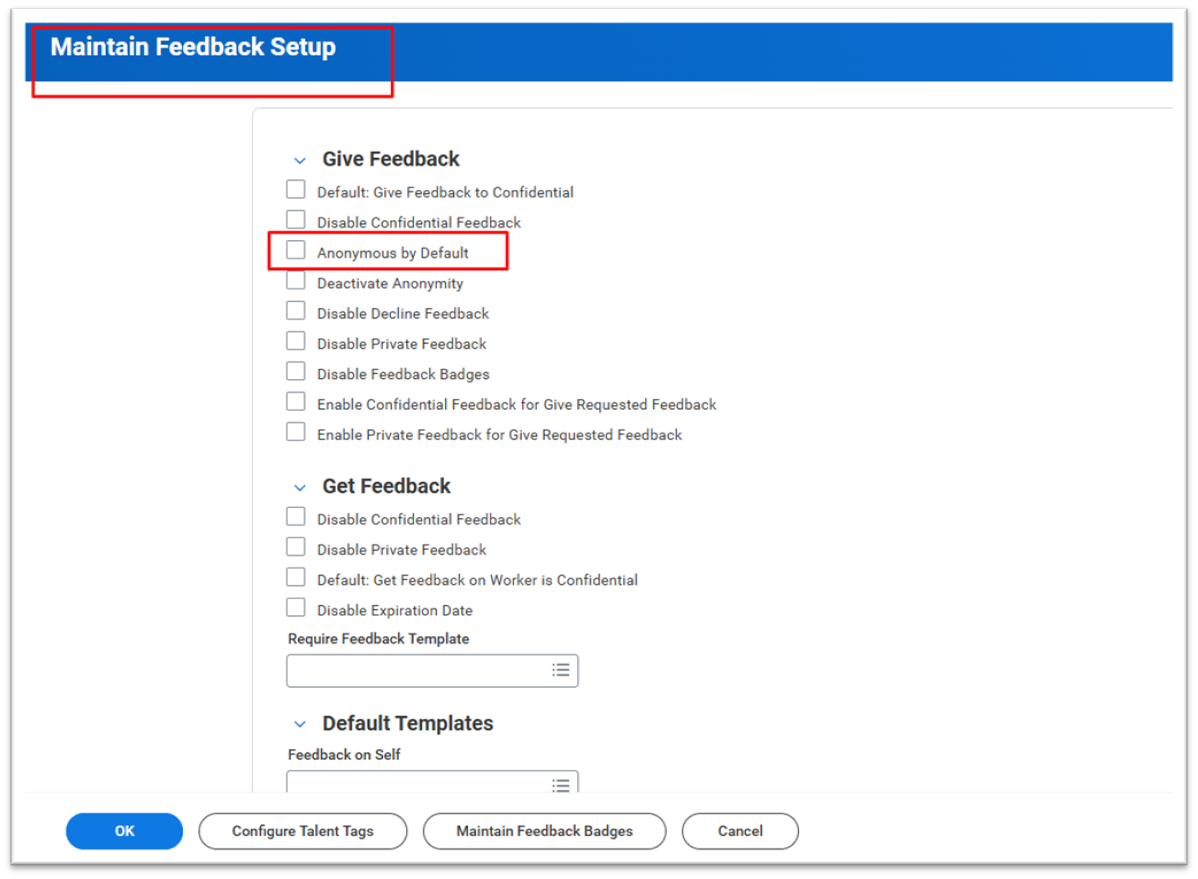
Anonymous by Default Feedback
What's New?
- Workday removes a barrier to providing feedback with the Anonymous by Default Feedback feature. We enhance the feedback experience by allowing you to set feedback requests sent to feedback providers as anonymous by default.
Benefits
- Increases feedback volume by removing the manual step of selecting the anonymous feedback option.
- Maximizes feedback candor by ensuring the feedback provider’s identity is protected by default, they are far more likely to offer unfiltered, specific, and actionable feedback.
- Encourages a culture of honesty.
Impact
- NA
Key Takeaway
- Improved design allows feedback providers to manage and respond to feedback requests more efficiently.
Setup Required: - Setup required
TIME TRACKING AND ABSENCE
TIME TRACKING
Connected Experience: Hide Unavailable Time Off from Time Tracking
What's New?
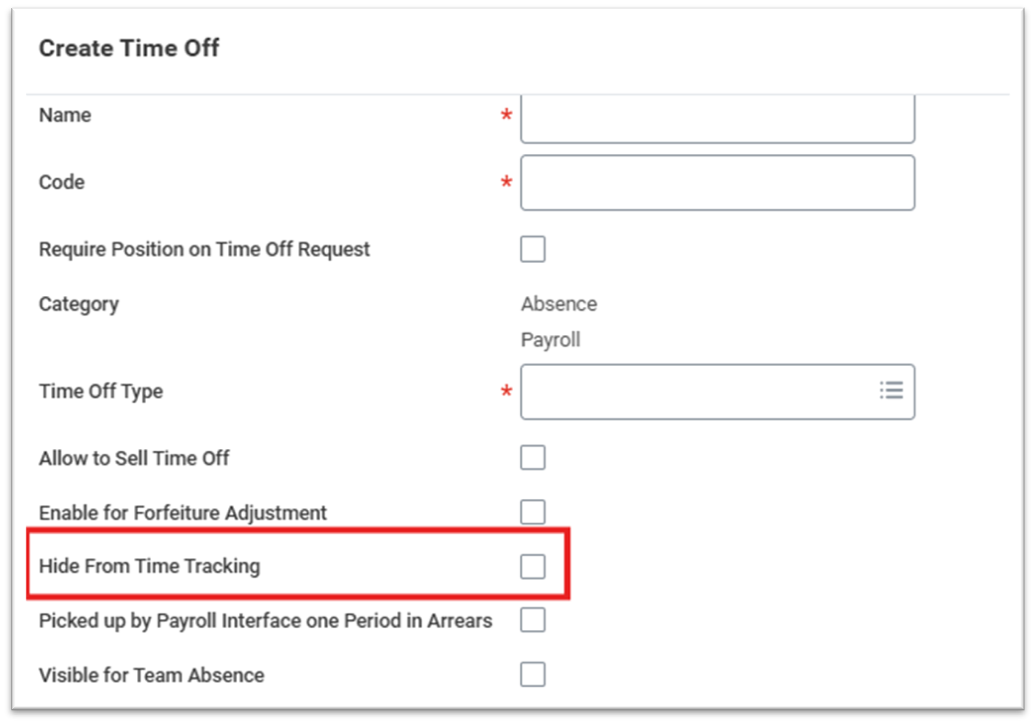
- Hide From Time Tracking checkbox (Create/Edit Time Off)
- Blocks scheduling but allows time entry if worked
- Hidden from calendar, calculations & reporting
- Requires Workday Scheduling
Benefits
- Integrated experience across Absence, Scheduling, and Time Tracking
- Greater flexibility for workers managing availability and time entry
- Supports tracking unavailable time for scheduling purposes
Impact
- Interface Change
- Hidden time off excluded from reporting/calculation
- Requires Scheduling functional area enabled
Key Takeaway
- Separates scheduling availability from time entry visibility
- Provides flexibility while maintaining scheduling control
- Available only with Workday Scheduling
Setup Required: - Automatically Available
Time Tracking Reports
What's New?
- Added filters to selected audit reports
- New prompts: Job Profiles, Locations, Organizations, Workers
- New checkbox: Exclude workers who have never entered time or time off
(Reports updated: Workers with Multiple Time Entry Templates / Time Period Schedules / Work Schedule Calendars
Benefits
- Faster report processing
- Ability to target specific worker populations
Impact
- Interface Change
- Report behavior unchanged unless prompts used
Key Takeaway
- More targeted reporting with improved performance
- No action required
Setup Required: - Automatically Available
Worktag Defaults from Workday Scheduling
What's New?
- Worktags auto-populate from schedule tags
- New Default from Workday Scheduling option (Time Entry Template)
- Worktag Mapping in Edit Scheduling Settings
- Updated worktag precedence logic
- Reporting updates
Benefits
- Improved payroll accuracy
- Reduced manual worktag entry
- Better worker & admin experience
Impact
- Interface Change
- Worktags can populate from schedule instead of manual entry
- New precedence order affects worktag values
Key Takeaway
- Schedule data now flows directly into Time Tracking worktags
- Reduces manual entry and increases accuracy
Setup Required: - Automatically Available
Reported Time Blocks for Worker SOAP API and Workday Graph API Schema
What's New?
- Put Reported Time Blocks for Worker SOAP API now supports In/Out time blocks
- Graph API v1: maintain Worker Reported Time mutation added
- Graph API supports in Date Time/out Date Time
Benefits
- Enables precise high-volume time imports
- Supports detailed time tracking requirements
Impact
- API behavior now supports In/Out time blocks
- Security domains required for Graph API mutation
Key Takeaway
- More flexible, accurate time block imports via SOAP & Graph API
Setup Required: - Automatically Available
Time Review Event Query in Workday Graph API Schema
What's New?
- Graph API v1 adds time Entry Events For A Date Range Awaiting Processing User query
- Enables reading time review events awaiting approval
Benefits
- Extend apps can access more complete time review data
Impact
- Graph API read access added
- Security domains required for query
Key Takeaway
- Graph API expands access to time review events for Extend apps
Setup Required: - Automatically Available
Segmented Security for Time Entry Codes
What's New?
- Access Time Entry Code (Segmented) domain for segment-based security
- Enable Segment Security for Time Entry Codes checkbox (Edit Tenant Setup – HCM)
- Create / Edit / View Time Entry Code Security Segment tasks
- All Time Entry Codes Security Segments report
- Reporting fields on Time Entry Code Security Segment business object
Benefits
- Improved compliance with company policies and labor laws
- Access limited to relevant time entry codes
- Reduced time reporting errors
Impact
- No impact unless enabled
- Changes what codes users can see/use
- Requires segment security setup
- Manager/admin time entry now filtered by their security
Key Takeaway
- Enables segment-based control over time entry code access
- Supports compliance and payroll accuracy
- Functionality unchanged unless configured and enabled
Setup Required: - Setup Required
Time Calculation Support for Multiple Positions
What's New?
- Time calculations supported at position level (Except: Accumulated OT, Flextime, Holiday Time Block Create, Minimum Rest)
- Position Based time calculation groups
- Persist Position on Time Blocks (tenant setting)
- Time Entry Template updates:
- Position Based Shifts
- Total per Position
- Reporting & iLoad enhancements (Position Based, Collective Agreement indicators), New checkboxes added to time approval templates:
Benefits
- Proper calculation when workers enter time for multiple positions
- More accurate processing at position level
- Position visibility on time blocks (when enabled)
- Improved reporting visibility
Impact
- Interface Change
- Worker-based calculations unchanged unless updated
- Potential changes to calculation eligibility and priorities
- Requires review to avoid duplicate calculations
Key Takeaway
- Enables position-level time calculations
- Supports multi-position workers
- Optional configuration
Setup Required: - Setup Required
Scheduled Shifts Starting on a Calculated Day
What's New?
- New Time Day report fields for shifts based on calculated start day
- Includes Workday Scheduling equivalents
- Fields secured to Time Tracking and Time Calendar domains
Benefits
- More accurate scheduled hours for shifts crossing day breakers
- Better analysis of scheduled vs actual hours
Impact
- Reports may need updates to use new fields
- Existing reports continue using current fields if not updated
Key Takeaway
- Aligns scheduling and time tracking for shifts crossing day breakers.
Setup Required: - Setup Required
View and Report on Schedules in Absence
What's New?
- Schedule view & reporting available in Absence
- New Time Off & Leave domains for schedule access
- Renamed Time Tracking schedule domains for clarity
Benefits
- Streamlines schedule reporting
- Better workforce planning
- Improved worker experience & fewer support requests
Impact
- No access to schedule tasks/reports unless domains are configured
- Requires security setup for new domains
Key Takeaway
-
Schedule information now available in Absence without purchasing Scheduling/Time Tracking
Setup Required: - Setup Required
Frontline Agent Time Approval Optimizer
What's New?
- AI-powered Frontline Agent (Time Approval Optimizer skill)
- Managers can review/approve/deny/send back timesheets via natural language
- Agent flags anomalies and prioritizes routine approvals
- Launchable from any Workday page
- Shows up to 20 timesheets at a time
Benefits
- Reduces time approval workload
- Improves payroll accuracy
- Lowers labor costs in high-volume environments
Impact
- Requires Workday Flex Credits & agreements
- Security configuration needed (Agent System of Record + agent registration + skill access)
- Requires time review permissions for managers/timekeepers
Key Takeaway
- AI-assisted time approval for faster, more accurate timesheet processing.
Setup Required: - Setup Required
Time Entry Validation Support for Multiple Positions
What's New?
- Position-based time entry validation groups (requires Persist Position on Time Blocks)
- Validations run per position using position-specific data
- Position-aware warnings in Review Time and My Tasks
- New report fields: Position and Position Based
Benefits
- More accurate validations for multi-position workers
- Fewer incorrect time entries & overrides
- Streamlined approvals with relevant warnings
- Better control with position-specific validations
Impact
- Validation logic now evaluates per position
- Approver warnings are position-aware (when independent events enabled)
- Requires Persist Position on Time Blocks
Key Takeaway
-
Validations can now run accurately at the position level for multi-position workers
Setup Required: - Setup Required
Segment Security for Time Entry Codes to Prevent Edit and Delete
What's New?
- Prevent edit/delete of time blocks & time clock events when user lacks segment access to the time entry code
- Restricts time entry calendar mass actions for unsecured codes
- Prevents Location-Based Mobile Check In if default code is not accessible
- Adds validation to REST and SOAP APIs
- Report update: Security Group Domain column
Benefits
- Improves compliance & data integrity
- Reduces payroll errors
- Aligns modifications with security policies
Impact
- Users cannot edit/delete restricted time entries
- REST & SOAP APIs enforce segmented security
- Mass actions skip restricted blocks
- Out events remain editable/deletable (My Time Clock History)
Key Takeaway
-
Time entry modification is now strictly enforced by segment security.
Setup Required: - Setup Required
Purge for Time Tracking Data
What's New?
- New Time Tracking Data Purge purgeable data type (PDT)
- Enable purge via Enable Time Tracking Data Purge tenant setting
- New Purge Time Data domain + purge report/data sources
- Purge worker time blocks & time clock events (active & terminated)
Benefits
- This update provides greater control over the visibility of worker time entries during the approval process. You can now better protect worker privacy and ensure time approvers only see the information relevant to their specific approval tasks.
Impact
- Interface change
- Permanent deletion
- Possible payroll/tax/billing impacts
- Security access required
- Cannot purge In Progress time blocks
Key Takeaway
-
Permanent purge capability for compliance
Setup Required: - Setup Required
ABSENCE
New Report Fields
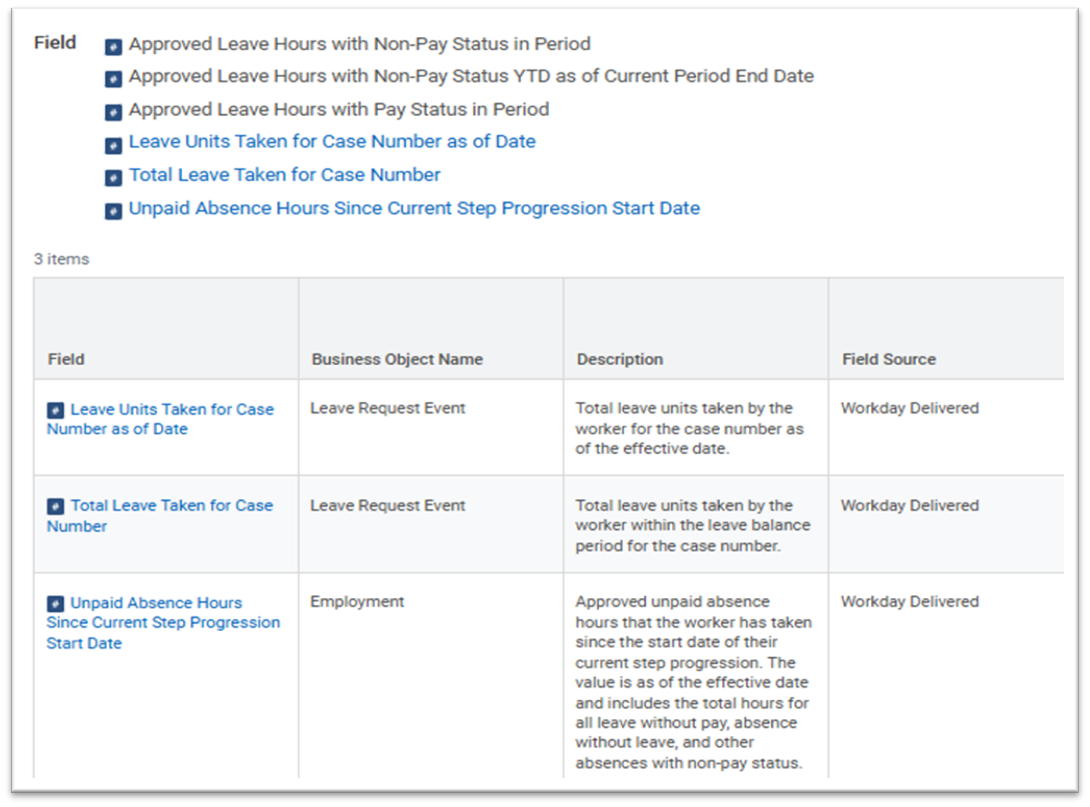
New report fields were introduced in this release
- Employment business object (secured to the Public Reporting Items domain) for U.S. Federal customers:
- Approved Leave Hours with Non-Pay Status in Period
- Approved Leave Hours with Non-Pay Status YTD as of Current Period End Date
- Approved Leave Hours with Pay Status in Period
- Leave Request Event business object (secured to the Self Service: Leave of Absence and Worker Data: Leave of Absence domains)
- Leave Units Taken for Case Number as of Date
- Total Leave Taken for Case Number
- Unpaid Absence Hours Since Current Step Progression Start Date on the Employment business object (secured to the Public Reporting Items domain)
- Updated the Veteran's Preference report field, enabling you to use it in an instance set calculation for time off plan eligibility rules.
- New IVCs for U.S. Federal customers to support accrual calculations:
- Approved Leave Hours with Non-Pay Status in Period
- Approved Leave Hours with Non-Pay Status YTD as of Current Period End Date
- Approved Leave Hours with Pay Status in Period
- A new Worker: Disabled Veteran Leave Date IVC to support time off plan eligibility and balance period calculations is added.
Setup Required: - Automatically Available
Reporting on Time Off Plan Balance Visibility
- New Hide Time Off from Plan Balance when Plan in Absence Table report field on the Time Off business object (secured to the Public Reporting Items domain).
- Can be used in custom reports to check if the corresponding checkbox is selected as of the effective date.
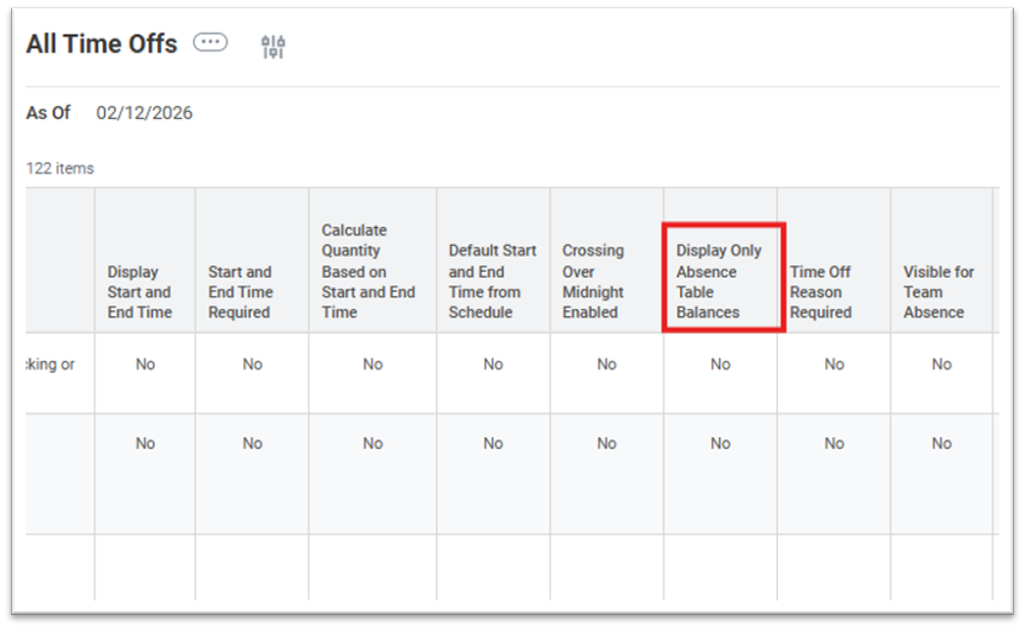
All Time Offs Report
- Updated All Time Offs report now includes a Display Only Absence Table Balances column.
- Column shows Yes/No, making it easy to identify configuration status for each time off.
Setup Required: - Automatically Available
Multiple Time Off Entries for the Same Date as One Request on Mobile
Mobile Enhancements – Request Absence Task
- Details Per Day button now available for all requests, regardless of the number of days selected.
- Add New button within Details Per Day view to easily add additional days to a request.
- Editable Date field allows workers to update the date of existing time off entries.
Setup Required: - Automatically Available
Support for U.S. Federal Reporting Requirements on Leave and Earnings Statements
Approved Leave Hours with Non-Pay Status YTD as of Prior Period End Date
- On the Employment business object (secured to Public Reporting Items domain).
- Tracks year-to-date approved leave hours with non-pay status as of the prior period end date.
- Includes all leave types mapped to non-pay status codes and marked unpaid in Maintain Absence Type Code Mapping.
- Primarily intended for calculations through the IVC.
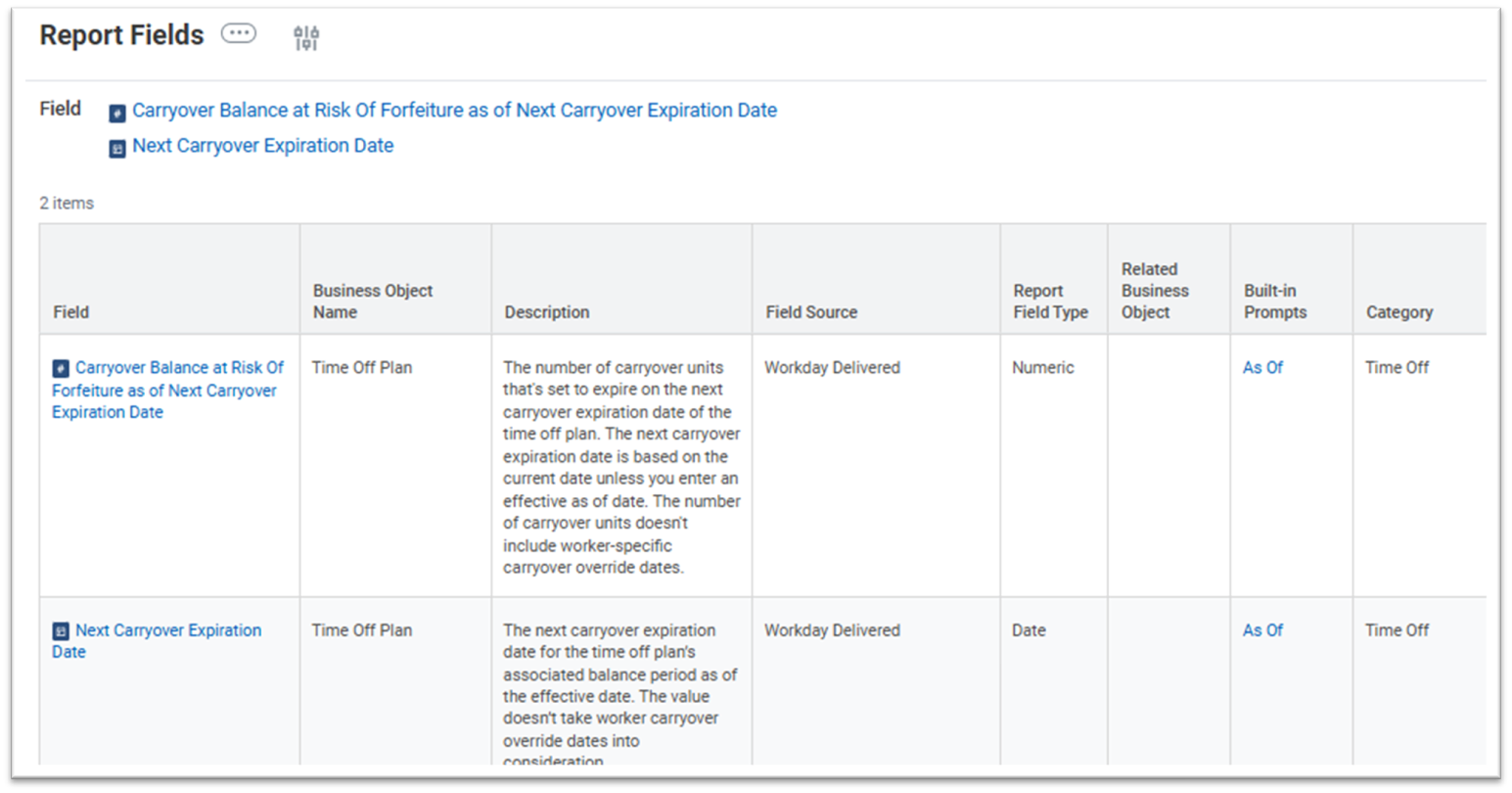
Carryover Balance at Risk Of Forfeiture as of Next Carryover Expiration Date
- On the Time Off Plan business object.
- Identifies carryover units set to expire on the next carryover expiration date.
- Based on current date or effective-as-of date; excludes worker-specific override dates.
Next Carryover Expiration Date
- On the Time Off Plan business object.
- Displays the next expiration date for the plan’s balance period as of the selected date.
- Does not consider worker-specific override dates.
Setup Required: - Automatically Available
Time Off Balance Storage and Change Detection
Balance Storage Process
- Time off balances stored monthly by default.
- Transition from daily storage (initial rollout) → weekly process every Saturday.
- Supports configurable storage periods (1–13 months).
Retroactive Change Detection Automatically identifies changes impacting worker balances:
- Non-absence transactions (e.g., job or organizational changes).
- Absence configurations (e.g., time off plans, accruals, nested calculations).
- Absence transactions (e.g., requests, overrides, leave events, time tracking).
- Custom configurations affecting balance calculations.
- Workday recalculates balances nightly via the Recalculate Worker Time Off Balances task.
Setup Required: - Automatically Available
Reporting Enhancement
- New View Absence Event Detection Logs report (secured to the Calculated Balances domain).
- Provides audit support by tracking transactions that invalidate stored time off balances.
Setup Required: - Automatically Available

Hide Time Off from Plan Balance When Plan in Absence Table Option
- New Hide time off from plan balance when plan in absence table check box has been added to the Details tab of the following tasks:
- Create Time Off
- Edit Time Off
- This option applies only to time off plans that include time offs within an absence table.
Setup Required: - Steup Required
Absence Balance Visibility and Request Absence Calendar Visibility Options
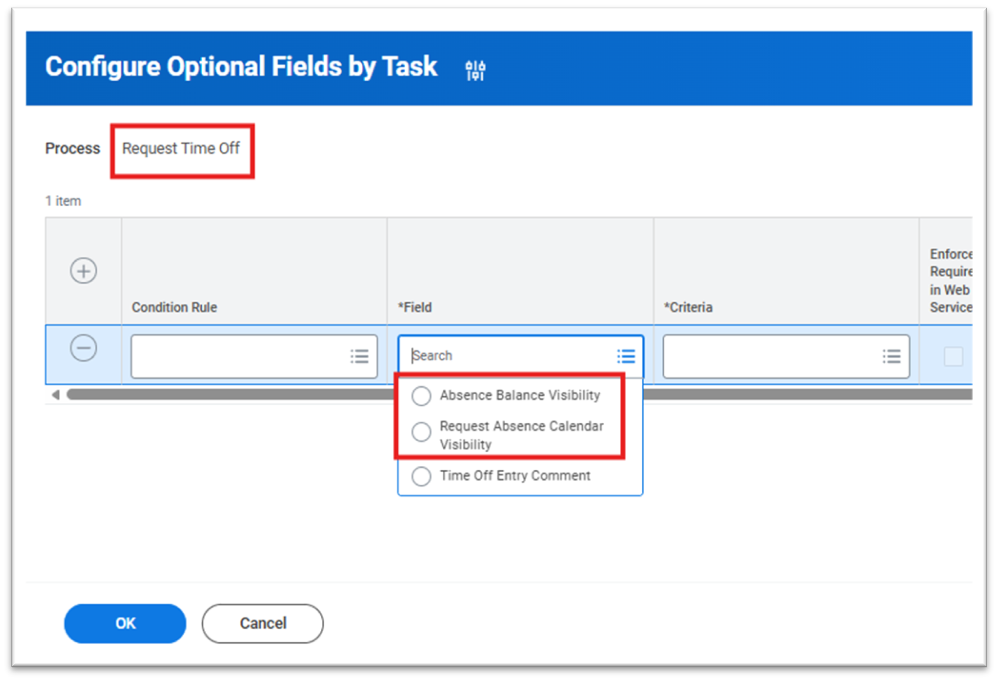
In the Configure Optional Fields by Task select the Request Time Off process.
- This release introduces two new configuration options:
- Absence Balance Visibility
Allows you to hide:
- The Balances tab in the Manage Absence calendar
- The View Balances link in the Request Absence micro calendar and date range view
Request Absence Calendar Visibility
- Enables hiding of the Request Absence micro calendar
Setup Required: - Steup Required
Purge Comments from Time Off Entries and Time Off Corrections
- With this update, we deliver a new Time Off Entry Comments purgeable data type (PDT) that enables you to purge comments from time off entries and time off corrections for workers.
- Purging comments from time off entries and corrections helps you to maintain compliance with data protection and General Data Protection Regulation (GDPR) requirements.
Setup Required: - Steup Required
Northern Ireland SPBP SOAP API Web Services
Enhanced services now support entry of miscarriage date or child’s date of death when mass loading or retrieving worker data.
Updated services include:
- Get Payees
- Get Workers
- Request Edit Leave of Absence
- Request Leave of Absence
Refer to the SOAP API Change Log (under Related Information) for full details.
Setup Required: - Steup Required
BENEFITS
Coverage Waive Date for Enrollment Event Rules
What's New?
The following update improves accuracy and compliance by refining coverage waive date calculations:
- Introduces a new feature to configure coverage waive date rules within enrollment event rules.
- Enables Workday to calculate coverage dates differently when a worker waives a plan versus when they elect or switch plans.
- Provides administrators with greater control and accuracy over coverage date calculations.
Benefits
- This feature increases accuracy by enabling administrators to explicitly configure how dates are calculated when coverage is waived and helps reduce the need for manual corrections. It also supports regulatory compliance for U.S. federal users (specifically for FEGLI).
Impact
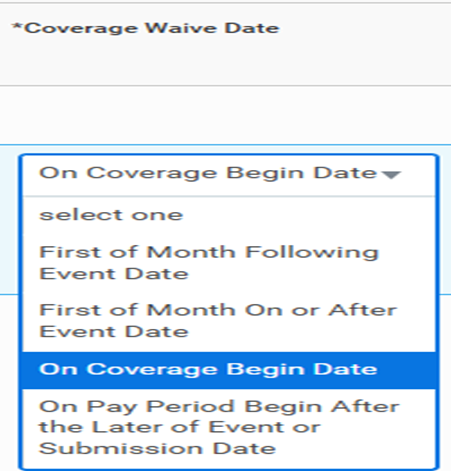
We add the new Coverage Waive Date column in the Start or Waive Coverage tab of these tasks:
- Create Enrollment Event Rule.
- Edit Enrollment Event Rule.
- View Enrollment Event Rule.
You can select from these options in the new column:
- On Coverage Begin Date (Default).
- First of Month Following Event Date.
- First of Month On or After Event Date.
- On Pay Period Begin After the Later of Event or Submission Date.
When a worker waives a coverage type completely during a life change event, Workday calculates the date the coverage is waived based on the rule you select in the Coverage Waive Date column.
Workday ignores the Coverage Waive Date rule and uses the configured Coverage Begin Date rule if a worker:
- Elects a plan for the first time.
- Re-elects a plan in a coverage type that they previously waived.
- Changes plans within a coverage type.
- Changes coverage tiers in an elected health care plan.
- Reduces or increases coverage in an elected insurance plan.
What Do I Need to Do?
- Access the Create Enrollment Event Rule or Edit Enrollment Event Rule task.
- In the Start or Waive Coverage tab, select an option in the new Coverage Waive Date column.
- (U.S federal customers only): Select the On Pay Period Begin After the Later of Event or Submission Date in the Coverage Waive Date column as required for applicable coverage types.
Note: that you can only select the On Coverage Begin Date option for open enrollment event types. You can select other waive date options for life change event types.
What Happens if I do Nothing?
- If you don’t select an option for the Coverage Waive Date column, Workday defaults to the On Coverage Begin Date option. This default configuration operates identically to how Workday functioned before this update.
Setup Required: - Automatically Available

Benefit Credits for Retirement Savings Plans
What's New?
- With this release, we provide new functionality that enables you to apply remaining benefit credits from enrollment to retirement savings plans.
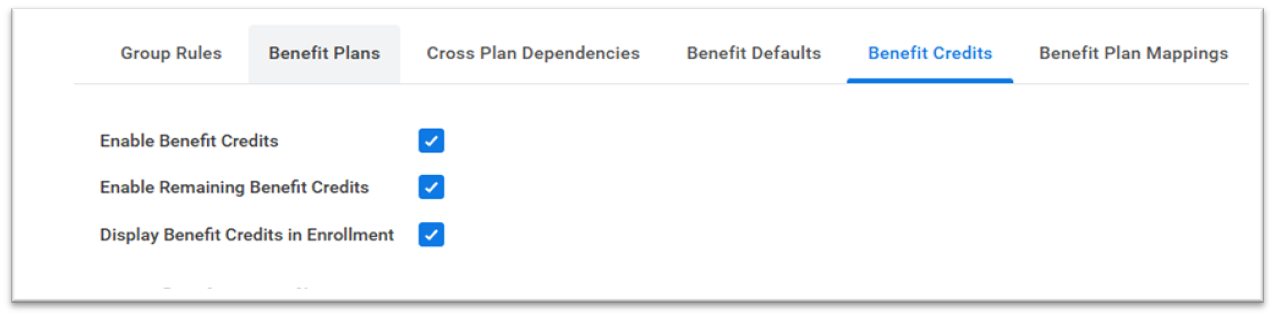
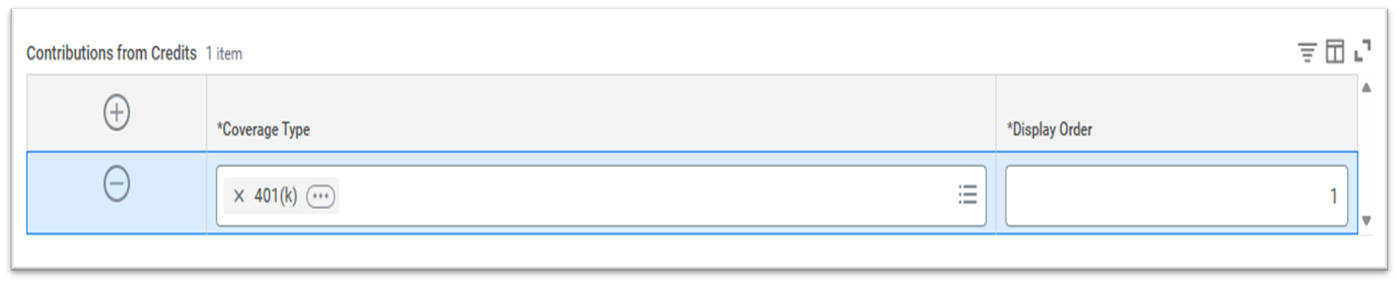
We deliver a new Contributions from Credits grid on the Benefit Credits tab of the Edit Benefit Groups and View Benefit Groups tasks. The new grid enables you to select retirement plans that your workers can contribute remaining benefit credits to during the enrollment process.
We also deliver a new Distribute Credits page that displays during the enrollment process if a worker has remaining benefit credits to distribute after making benefit selections. On the new page, workers can:
- Apply their remaining credits to retirement savings plans.
- View their plan’s projected total monthly cost and credits required.
- View their remaining credits after contributions.
We update the Maintain Enrollment Instructions task by adding a new Distribute Credits section to General Enrollment Sections, enabling you to add instructions to the new Distribute Credits page during the enrollment process.
We now display the amount of remaining credits for a worker on the Enrollment landing page, Plan Details page, and Plan Selection page.
Benefits
- The new functionality gives you more control and flexibility when managing benefit credits remaining from enrollment.
What Do I Need to Do?
- Access the Edit Benefit Groups task and select a group.
- From the Benefit Credits tab, select these boxes:
- Enable Benefit Credits
- Enables Remaining Benefit Credits
- Display Benefit Credits in Enrollment
- In the Contributions from Credits grid, add the retirement savings plans that you want workers to contribute their remaining credits to.
What Happens if I do Nothing?
If you choose to do nothing, your workers cannot apply remaining benefit credits to retirement savings plans.
Setup Required: - Automatically Available
Dependent Effective Dating
What's New?
- With this release, we add effective-dated logic to certain dependent data.
Benefits
- Effective-dated dependent data ensures accurate eligibility tracking, regulatory compliance, and reliable reporting over time.
UI Changes
We add the new Effective Date prompt as an initiating element when you access these tasks:
- Add Dependent
- Add My Dependent
- Edit Dependent
- Edit My Dependent
- View Dependent
We add the new column Actions to the new Future Dependents grid and the existing Current Dependents grid. This column contains the new Actions dropdown menu with these options:
- Edit
- View
- Delete (available only for dependents not enrolled in benefit elections)
The View option now enables you to view dependent information as of a specified effective date
Note: Future-dated dependents created outside enrollment events can't be added to events where they're not yet effective. Example: an event with an event date prior to the dependents' future effective date.
Dependents created outside enrollment can be included in events and enrolled in benefit plans, provided they're effective and eligible as of the plan's coverage begin date.
The Effective Date prompt assigns an effective date to these areas of dependent information:
- Allowed for tax deduction
- Annual Income
- Contact Information - Address (1 primary address and up to 2 additional addresses)
- Disabled
- Full-time student
- Health care coverage available elsewhere
- Legal Name
- Lives with worker
- Occupation
- Relationship
- Tobacco Use
- Occupation
Effective Date Correction
- With this update, we enable workers to edit the effective date of when they added or edited a dependent if the date they initially selected is incorrect. This update helps to eliminate the need to cancel the entire dependent event and start a new one just to correct the effective date.
- When a benefits administrator or partner reviews and approves a dependent after a worker submits a new dependent or submits an edit of an existing one, they can use the Approval step or the Verify Dependent Eligibility step (either of which must be set as or before the completion step) to send the dependent event back to the worker. The worker can then correct the effective date on the Revise Dependent Event task and resubmit the dependent for review and approval.
You can also now add dependents as of any specified effective date. For dependents effective in the future, we add the new Future Dependents grid to the My Dependents tab of the Benefits page in a worker’s profile. Note that existing dependents are effective as of the effective date specified in the original dependent creation event. You can view this date in worker history.
Note : Future-dated dependents created outside enrollment events can't be added to events where they're not yet effective. Example: an event with an event date prior to the dependents' future effective date.
We deliver these new report fields on the Dependent business object to represent dependent data as of an effective date (secured to the Worker Data: Dependents domain):
- Dependent Relationship Type - Effective Dated
- Legal Name - Effective Dated
- Related Person Relationship Behavior - Effective Dated
We also deliver these new report fields on the Dependent business object (secured to Public Reporting Items):
- Legal Name - First Name (Effective Dated)
- Legal Name - Last Name (Effective Dated)
- Legal Name - Middle Name (Effective Dated)
- Legal Name - Salutation (Effective Dated)
- Legal Name - Social Suffix (Effective Dated)
- Legal Name - Title (Effective Dated)
Setup Required: - Automatically Available
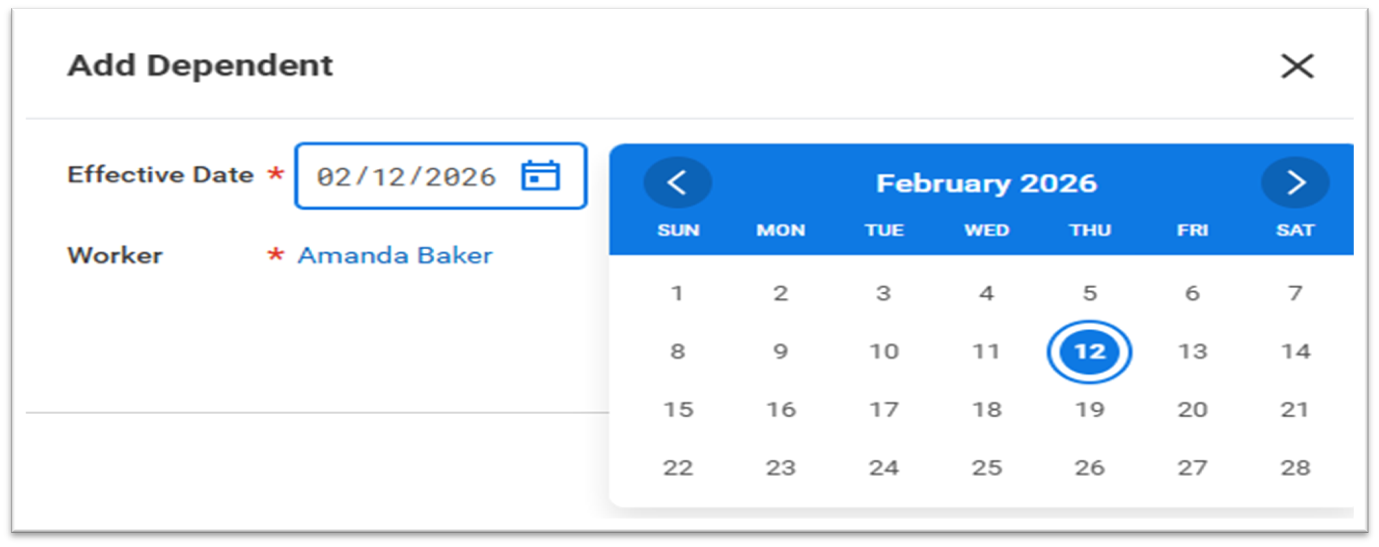

New Dependent Verification Status Report Field with Dropdown Menu Options
What's New?
- We add a new report field with dropdown options to more clearly indicate the verification status of a dependent.
Benefits
- This new report field’s dropdown menu options enable users whose tenants are not set to English to compare dependent verification values more easily for the purposes of creating condition rules.
UI Changes
We deliver the new Verification Status (Dropdown) report field on the Dependent business object (secured to the Self-Service: Dependent Verification domain in the Benefits functional area, and the Worker Data: Dependent Verification domain in the Benefits and Personal Data functional areas).
This new report field enables users to select from these options on a dropdown menu:
- Approved
- Pending
- Denied
- No Status
Setup Required: - Automatically Available
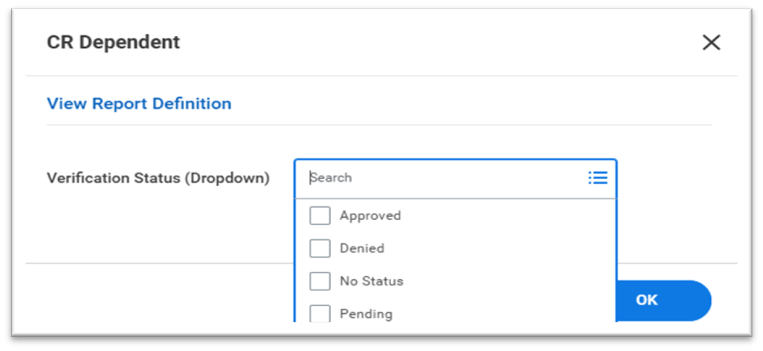
Dependent Field Expansion: Garnishment-Relevant
What's New?
- With this update, we enable you to indicate if a worker's dependents are relevant to that worker's wage garnishments as of an effective date.
Benefits
- This update enables you to keep more dependent information in Workday, instead of having to rely on data in a non-Workday system.
UI Changes
We add the new Garnishment-relevant check box to these tasks:
- Add Dependent
- Edit Dependent
We add the new row Garnishment Relevant (Dependent) to the Maintain Localization Settings task.
Security
We add these new security domains to the Benefits functional area that we secure the new Garnishment-relevant check box and report fields to:
- Self-Service: Dependent Garnishment-relevant
- Worker Data: Dependent Garnishment-relevant
We add these new effective-dated report fields to the Dependent and Dependent Event business objects, secured to the new domains:
- Garnishment-relevant
- Garnishment-relevant Current
- Garnishment-relevant Proposed
Web Services
We update these web services in v44.2 to include garnishment-relevant fields:
- Add Dependent
- Edit Dependent
- Get Add Dependent
What Do I Need to Do?
Configure security for these new domains in the Benefits functional area:
- Self-Service: Dependent Garnishment-relevant
- Worker Data: Dependent Garnishment-relevant
Access the Maintain Localization Settings task and select the Personal Information area.
- Select your country in the Allow for Countries or Regions field on the new row Garnishment Relevant (Dependent).
- Select the Active check box.
- Select OK.
Setup Required: - Automatically Available
Dependent Field Expansion: Relocation Data
What's New?
- With this update, we enable you to track and report on dependent relocation data when they move with a worker on an international assignment. This information supports effective dating.
Benefits
- This update enables you to keep more dependent information in Workday, instead of having to rely on data in a non-Workday system.
UI Changes
We add the new Dependent Relocation section to these tasks:
- Add Dependent
- Edit Dependent
We add the new row Relocation (Dependent) to the Maintain Localization Settings task.
Security
We add these new security domains to the Benefits functional area that we secure the new Dependent Relocation section to:
- Self-Service: Dependent Relocation
- Worker Data: Dependent Relocation
We add these new effective-dated report fields to the Dependent business object (secured to the new Worker Data: Dependent Relocation domain):
- Date to Arrive Host Location
- Date to Leave Host Location
- Dependent Relocating with Worker
We add these new effective-dated report fields to the Dependent Event business object (secured to the new Worker Data: Dependent Relocation domain):
- Date to Arrive Host Location - Current
- Date to Arrive Host Location - Proposed
- Date to Leave Host Location - Current
- Date to Leave Host Location - Proposed
- Dependent Relocating with Worker - Current
- Dependent Relocating with Worker - Proposed
Web Services
We update these web services in v44.2 to include garnishment-relevant fields:
- Add Dependent
- Edit Dependent
- Get Add Dependent
What Do I Need to Do?
Configure security for these new domains in the Benefits functional area:
- Self-Service: Dependent Relocation
- Worker Data: Dependent Relocation
Access the Maintain Localization Settings task and select the Personal Information area.
- Select your country in the Allow for Countries or Regions field on the new row Relocation (Dependent).
- Select the Active check box.
- Select OK.
What Happens if I do Nothing?
Nothing. Workday continues to work as in previous updates.
Setup Required: - Setup Required
Update Marital Status in Benefits Enrolment Questionnaire
What's New?
- With this release, we enable workers and administrators to update a worker’s marital status directly within the Benefits Enrollment Questionnaire during open enrollment or life change events. When a worker updates their marital status as a part of one of these events, Workday automatically creates and completes a Personal Information Change event for that worker upon completion and finalization of either the Open Enrollment or Change Benefits for Life Event process.
Benefits
- This feature streamlines workflows by consolidating the marital status personal information update within the benefits enrollment workflow. Capturing marital status updates at the point of enrollment helps enable more accurate eligibility and reporting.
Changes
We update the Benefits Enrollment Questionnaire with the new Marital Status section (secured to the Personal Data: Marital Status and Self-Service: Marital Status domains in the Personal Data functional area). This section includes these 2 new fields:
- Marital Status.
- Marital Status Event Date.
When a worker undergoes an open enrollment event or a life change event, they can propose a new marital status and effective date.
If a worker has multiple positions in different countries, they’ll first be prompted to select their country before selecting their updated marital status for that country within the Marital Status field.
What Do I Need to Do?
- Ensure workers have access to the Self-Service: Marital Status domain, and benefits administrators and partners have access to the Person Data: Marital Status domain, both in the Personal Information functional area.
- Access the Maintain Marital Statuses task.
- For all Marital Status options in this task in which a worker is still legally married, select the Is Married check box.
- Access the Configure Optional Fields task.
- Select Benefits-> Benefits Enrollment Questionnaire.
- Delete the row labeled Benefits - Personal Information.
- Select OK.
What Happens if I do Nothing?
The Marital Status section in the Benefits Enrollment Questionnaire will remain hidden, and the enrollment process will continue to function as it did before this release. Workers will only be able to update their marital status with a Personal Information Change event.
Setup Required: - Setup Required
RECRUITING
Put Candidate Request Hover Text
What's New?
- Workday updates the hover text for Put Candidate request personal information fields.
- WD clarify the hover text for Put Candidate request for accuracy.
FROM
- External Committee Member can specify Citizenship Status
- External Committee Member can specify Date of Birth
- External Committee Member can specify Gender
- External Committee Member can specify if they are of Hispanic or Latino descent
- External Committee Member can specify Marital Status
- External Committee Member can specify Religion
- External Committee Member can specify their Ethnicity.
TO
- Candidate can specify Citizenship Status
- Candidate can specify Date of Birth
- Candidate can specify Gender
- Candidate can specify if they are of Hispanic or Latino descent
- Candidate can specify Marital Status
- Candidate can specify Religion
- Candidate can specify their Ethnicity. It must be recognized by the Country they are applying in.
Setup Required: - Automatically Available
SBX
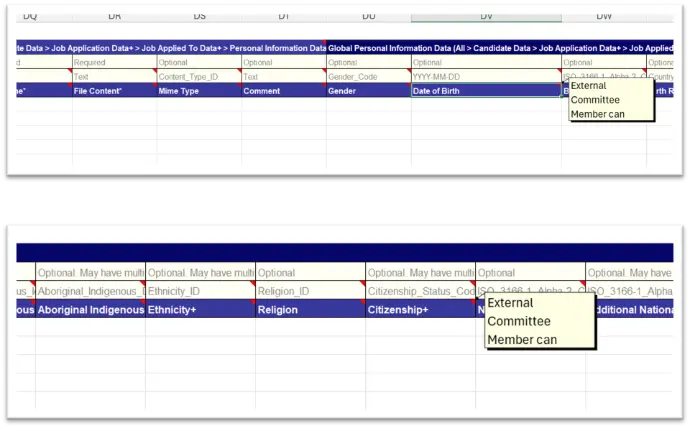
PREVIEW
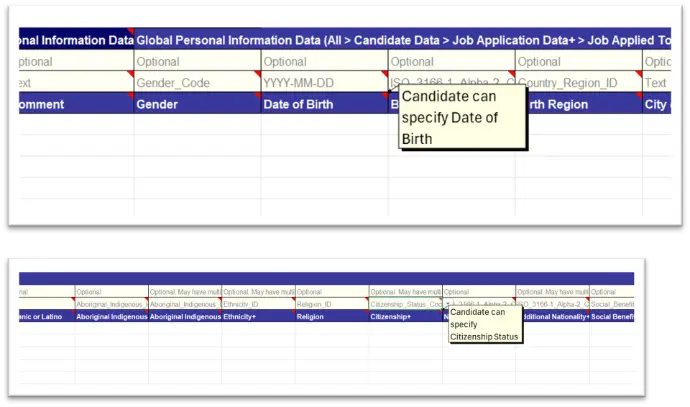
Primary Work Location Report Field
What's New?
- Workday updates the Primary Work Location report field on the Job Applications, Prospects and Referrals business object to restrict location usages by business site. If the location does not have a location usage of business site, then that location will not be returned.
- Users should expect that locations with other usages that don’t include Business Site (e.g., Business Asset) should not be available.
- This update provides stricter access controls and data accuracy.
Setup Required: - Automatically Available
Effective Dated Legal Names for Candidate
What's New?
- WD increase the efficiency in finding the correct name for the candidate at any given time based on the effective date.
- Workday delivers these report fields on the Worker business object (secured to the Public Reporting Items domain) to use in custom reports and to create calculated fields for specific name components:
- Legal First Name (Effective Dated)
- Legal Full Name (Effective Dated)
- Legal Last Name (Effective Dated)
Setup Required: - Automatically Available
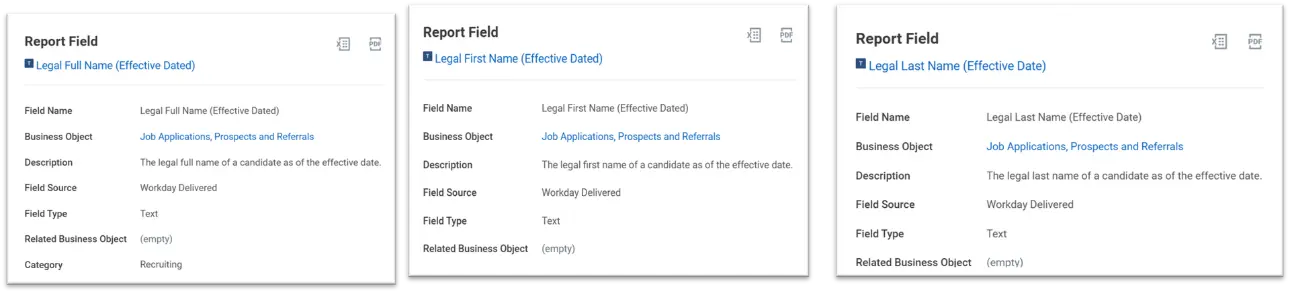
Fraudulent Job Application Settings
What's New?
With this release Workday enables us to get more insights into network and location information for job applications coming through your External Career Sites. We can now have the option to restrict the ability for candidates to update their personal information after submitting them.
Changes:
WD deliver 2 new check boxes on the Edit Tenant Setup - Recruiting task:
- Collect Candidate Signal Data Level 1 enables the new report fields that collect location and device details about users as they complete the application process. Some locations may consider this information to be personally identifiable and may require an update to your Privacy Policy or Terms and Conditions. Workday recommends consulting with your legal team before selecting it.
- Disable Candidate Personal Information Editing on Candidate Home prevents all candidates from updating their information on Candidate Home. If you enable this check box, the "Update Personal Information" option under the Settings menu will not display.
Selecting the Collect Candidate Signal Data Level 1 check box, the following new report fields (secured to the Candidate Data Job: Application domain):
- Automation Score (External Career Site Sight business object) This score represents likelihood that the event was automated. 1 indicates it was not likely automated, 99 indicates it is most likely automated. 0 indicates the score was not computed.
- Autonomous System Number (External Career Site Sight business object) returns the autonomous system number associated with this event.
- Count off Job Requisitions Applied To (Job Applications, Prospects and Referrals business object) This returns the number of job requisitions applied to by the associated candidate.
- External Job Application Duration (Job Applications, Prospects and Referrals business object) This returns the number of minutes it took for the candidate to complete the external job application in minutes. It returns a value of -1 if the application didn't go through a multi step flow
- Geolocation Country Code (External Career Site Sight business object) This returns the country code of the geolocation associated with the application.
- IP Address (External Career Site Sight business object) This returns the IP Address associated with the event.
- JA4 Fingerprint (External Career Site Sight business object) This returns the JA4 fingerprint associated with the event.
- Page (External Career Site Sight business object) For this release, there is only 1 page included so it always returns the same value. Future releases will enhance this field.
What needs to be done:
To collect data about the candidate's signals while completing an application on your External Career Sites:
- Access the Edit Tenant Setup- Recruiting task.
- Select the Collect Candidate Signal Data Level 1 check box.Workday recommends consulting with your legal team before you enable this because it may require a change to your Terms and Conditions or Privacy Policy.
- Use the report fields to create custom reports that show geolocation and usage data for applicants that might indicate fraudulent applicants. These fields are listed in the Changes section of this Release Note.
To prevent applicants from updating their personal information on Candidate Home after completing their application:
- Access the Edit Tenant Setup- Recruiting task.
- Select the Disable Candidate Personal Information Editing on Candidate Home check box.This option is only available when you select the Required Candidate Home Account check box.
Setup Required: - YES
Level of Effort:-
Collect Candidate Signal Data Level 1
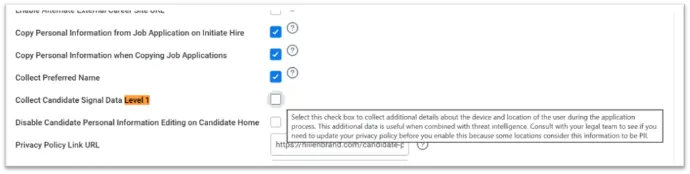
Disable Candidate Personal Information Editing on Candidate Home
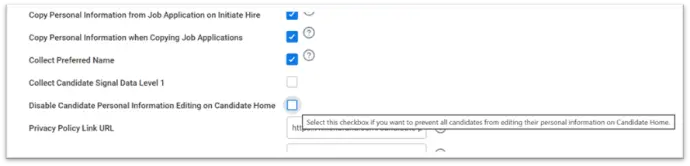
OTHER UPDATES
System
Condition Rules for Business Process Status Triggered Orchestrations
What's New?
Workday now supports condition rules to automatically initiate orchestration workflows based on event status changes. Condition rules evaluated before orchestration initiation.
Benefits
- Greater control: Orchestrations launch only when defined business criteria are met
- Efficiency: Reduce unnecessary processing by evaluating rules before initiation
- Precision: Trigger external integrations only for relevant events
Configuration Enhancements
- New Condition Rules section in Configure Orchestrations
- Collapsible grid to add, view, or remove rules per orchestration line item
- Create Condition Rule button for quick rule setup
Setup Required: - Automatically Available
Before Update
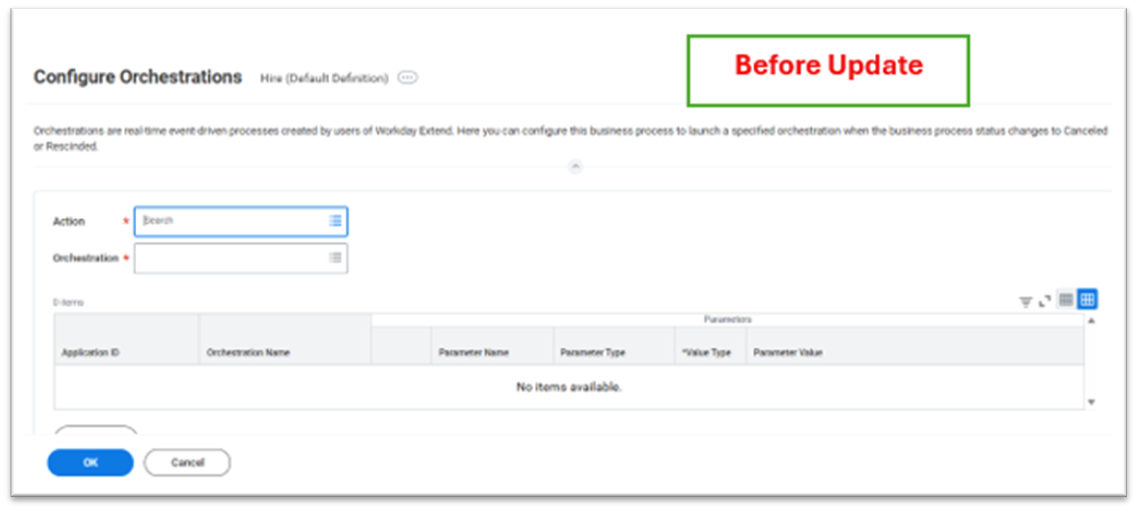
After Update
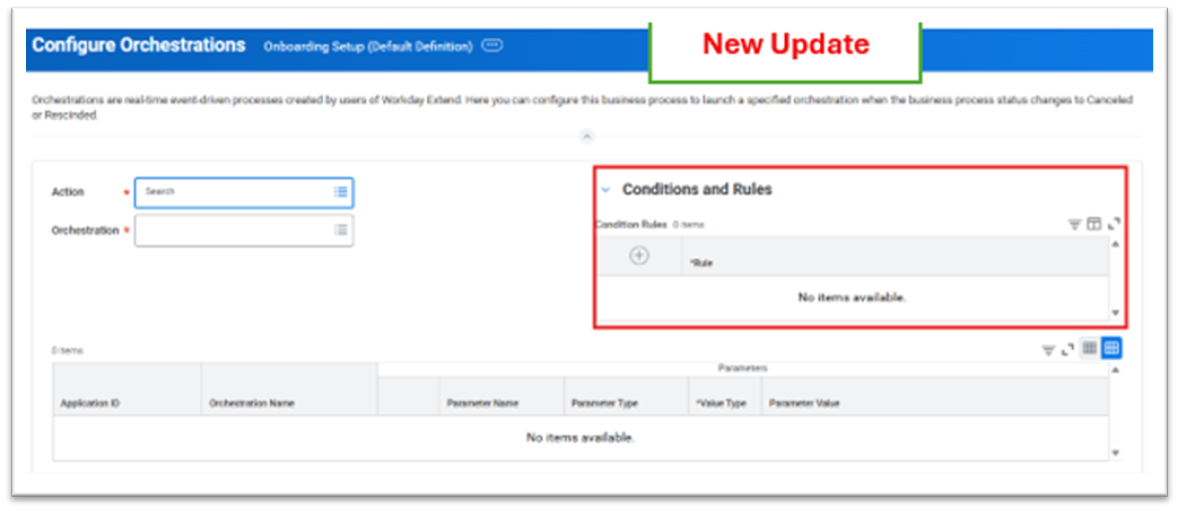
Limit My Tasks Badge Count Setting Retirement
What's New?
Workday removes the Limit My Tasks Badge Count setting from Edit Tenant Setup – System. This setting previously limited the badge count on the My Tasks icon to 999 when a user had 1000 or more tasks.
Impact
- Eliminates confusion about modifying badge counts
- Provides a consistent, simplified badge display across tenants
Setup Required: - Automatically Available
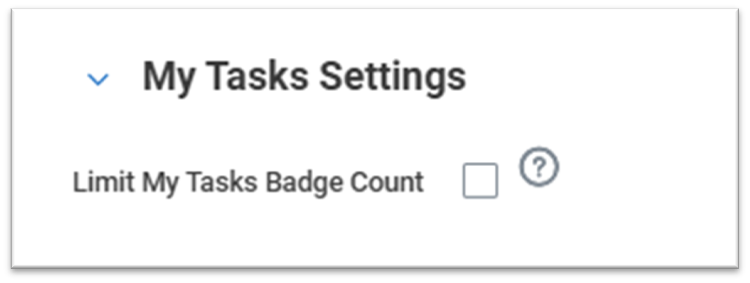
Restart Business Processes in Error User Experience
What's New?
Workday introduces a new standalone Fix Business Process task, accessible directly through the Search prompt.
Impact
- Provides business process administrators with easy access to error resolution
- Enables selection of specific business process types in error
- Allows quick restart of events without relying on My Tasks list access
Setup Required: - Automatically Available
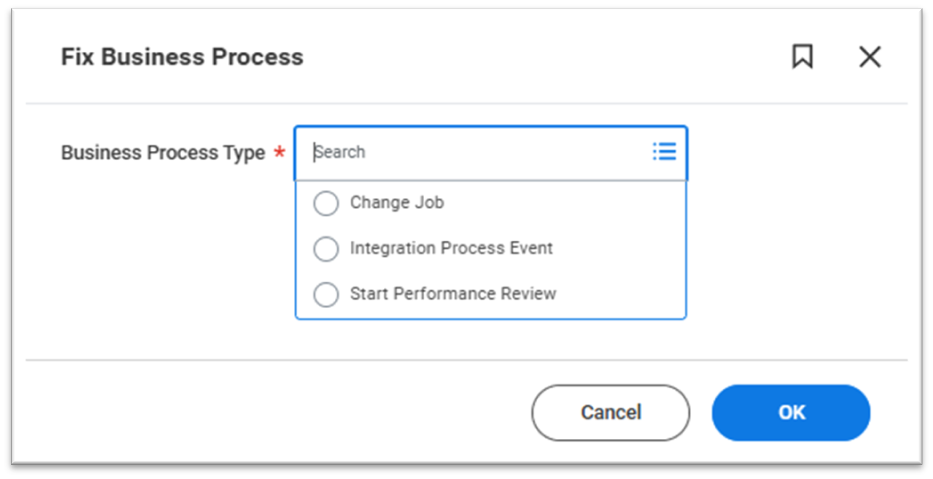
Absolute Session Timeout
What's New?
Workday introduces absolute Session Timeout controls for user logins.
Impact
- Granular control over session duration
- New Absolute Session Timeout prompt in Maintain Password Rules
- Options: 8, 12, or 24 hours (default = 24 hours)
- Note: Applies only to new user sessions, not for existing or shared sessions
Setup Required: - Setup Required
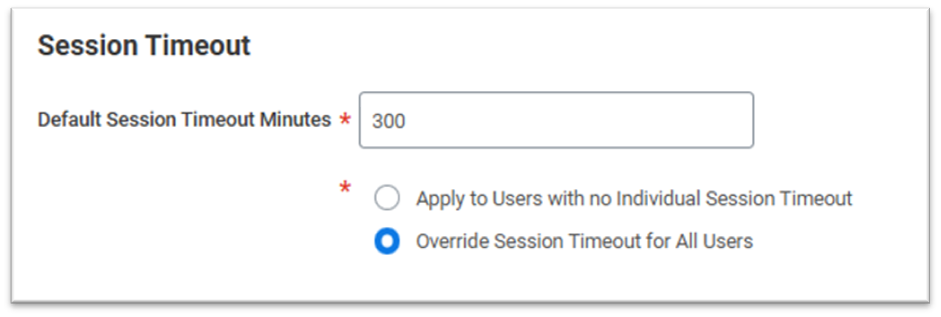
Adoption Planning Hub
What's New?
Workday introduces the Adoption Planning Hub, replacing the previous Adoption Planning feature. This enhanced hub helps you evaluate and adopt new features more effectively.
Impact
- Assign adoption items to team members
- Create and prioritize adoption items
- Discover recommended AI features tailored to your tenant
- Stay informed on retiring feature updates
- Track progress with roadmap and backlog visualizations
Setup Required: - Setup Required
Accessibility for Tables with Mass Actions and Quick Filters- System
What's New?
- Improved accessibility for tables with mass actions and quick filters.
- Full keyboard and screen reader support added.
Benefits
- Ensures equal access for users with assistive technology.
- Improves usability and compliance with accessibility standards.
New Functionality
- Keyboard navigation for selecting/unselecting rows.
- Screen readers announce headers, sort order, required fields, and checkbox status.
- Accessible tooltips for Select Row and Select All options.
- Applies to tables with mass actions, filters, and saved filters.
Impact
- Enhances user experience across Workday tables.
- Automatically available; no setup required.
Key Takeaways
- Better accessibility for bulk actions and filtering.
- Supports inclusive and compliant user experience
Setup Required: - Automatically Available
Security Group Evaluation for Configure Optional Fields Task- SYSTEM
What's New?
- New “Evaluate All Security Groups” option in Configure Optional Fields.
- Controls how field visibility rules are applied across multiple security groups.
Benefits
- More precise control over field access.
- Improves consistency with role-based security.
New Functionality
- Checkbox available for: Hidden For, Required For, Not Enterable For.
- If selected: field rule applies only when user belongs to all listed security groups.
- If not selected: applies when user belongs to any one group.
Impact
- Adds flexibility in defining field-level security behaviour.
- Existing configurations remain unchanged unless updated.
Key Takeaways
- Helps fine-tune field visibility based on combined roles.
- Supports more accurate and controlled security configurations
Setup Required: - Automatically Available
Journeys
Distribute a Journey Using Any Business Process
What's New?
Workday now enables journeys to be distributed through any business process, providing greater flexibility and control.
Benefits
- Add the Journey Distribution Service as a step in any business process definition
- Previously supported processes included: Add Additional Job, Change Job, Contract Contingent Worker, Hire, Termination
Updates also available via SOAP Web Services:
- Get Journey Event Service Configurations (v46.0)
- Put Journey Event Service Configuration (v46.0)
Setup Required: - Setup Required
Self Service Journeys in Global Search
What's New?
- Self-Service Journeys are now searchable through Global Search.
- Users can find journeys using keywords or questions.
Benefits
- Improves discoverability of journeys.
- Enhances user experience and self-service adoption.
New Functionality
- Journeys appear in Global Search results in card format.
- Displays journey status directly in search results.
- Users can find relevant journeys even if not directly distributed.
Impact
- Requires enabling security for Self Service – Journeys Distribution domain.
- Training materials may need updates to reflect new search capability.
Key Takeaways
- Easier access to journeys through Global Search.
- Supports better self-service navigation.
- Setup required to ensure proper user access.
Setup Required: - Setup Required
Enhanced Journeys Reporting
What's New?
- New reporting capabilities for Journey Builder configurations.
- Ability to report on step groups, step types, and journey details.
Benefits
- Better visibility into journey design and structure.
- Helps optimize and improve journey effectiveness.
New Functionality
- New Journey Builder Report Data Source (RDS) for custom reports.
- New fields like Display Name, Description, Self-Service Enabled, Welcome Message.
- Reporting on components such as Step Groups, Actions, and Condition Rules.
Impact
- Requires access to Manage: Journey Builders domain.
- Admins must create custom reports to use the new data source.
Key Takeaways
- Enables deeper analysis of journey configurations.
- Moves reporting beyond just distributed journeys.
- Supports data-driven journey improvements.
Setup Required: - Setup Required
Dynamic Language Support for Distributed Journeys
What's New?
Workday Journeys now supports dynamic language updates. If translations exist, distributed journey content automatically adjusts to match the user’s current language preference — even if the preference changes after the journey is distributed.
Benefits
- Delivers a consistent, personalized user experience
- Aligns journey content with overall Workday language settings
- Eliminates language lock at the time of journey distribution
New Functionality
- Journey content no longer remains locked to the original distribution language
- When a user updates their language preference, the journey content updates automatically (if translations exist)
Impact
If translations are not configured for all required languages, users may see a mix of translated and untranslated content.Untranslated content displays in the language used during configuration
Key Takeaways
Journey content now dynamically reflects user language preferences, improving global user experience and personalization.
Setup Required: - Automatically Available (Translations must be configured)
Career Hub
Display Default Job Title Instead of Job Profile Name in the Career Hub
What's New?
- Updated Maintain Career Hub and Opportunity Marketplace task. On the Edit Explore Preferences tab, added the Display Default Job Title Instead of Job Profile Name check box in the new Display Preferences section.
- Add a new Section Configuration title to existing options on the Edit Explore Preferences tab.
Job Titles in the Career Hub: The Display Default Job Title Instead of Job Profile Name check box is unchecked by default. When you select it, if a job profile has a default job title, we surface the default job title instead of the job profile name on:
- The employee’s job interests and suggested job interests in the Career Hub.
- Job profile cards in the Featured Next Move and Explore Other Moves sections in Career Hub > Explore.
- Job details for a job profile in Career Hub > Explore.
- Next moves in Career Path Builder.
- Opportunity Graph, including job cards and Job Profile Details for Opportunity Graph.
If the Default Job Title field is empty for a job profile, we continue to surface the job profile name.
Setup Required: - Setup Required
Learning Core
coming soon..
Advanced Compensation
Compa Integration for Real-Time Benchmarking
- Introduced a new Compa Configuration task (secured under the Security Administration domain in the System functional area) that enables integration with Compa using a Compa‑provided API key.
- Once enabled, Workday displays the new Compa card during the compensation steps of the following business processes:
- Change Job
- Hire
- Request Compensation Change
Setup Required: - Setup Required
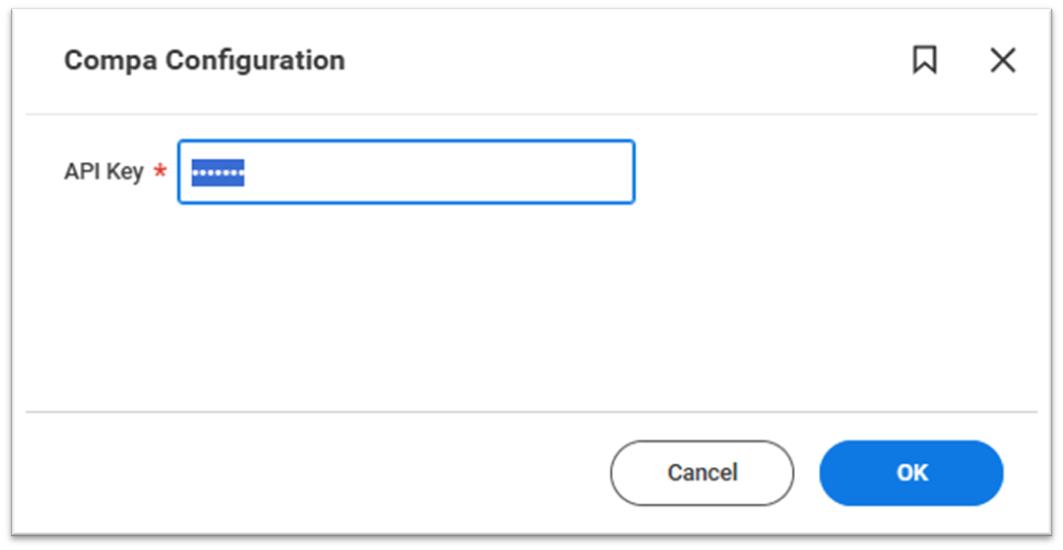
Multiple Promotion Reasons for Compensation Review
What's New?
A new Multiple Promotion Categories section was added on the Process Options tab of the Edit Compensation Review Options task. In this section, you can select the categories that you configured in the Maintain Event Categories and Reasons task for the Change Job event.
Update these operations in the Compensation Review web service to now support multiple promotion categories:
• Bulk Import Put Compensation Review Template
• Put Compensation Review Template
• Get Compensation Review Template
Setup Required: - Setup Required
Calculated Award Pools
What's New?
With this new release, Workday deliver these new fields in the Compensation Review Calculation section on the Process Options tab of the Create Compensation Review Options task:
- Promotion Target Pool Calculation
- Additional Adjustment Target Pool Calculation
- Lump Sum Target Pool Calculation
Added a new Calculated check box field to the Process Awards Pool table that indicates if a calculation was applied to a non-funded pool
New report fields on the Adjustment For business object (secured to the Public Reporting Items domain) that you can use when creating calculations for non-funded award pools:
- Region
- Business Unit
- Frequency
- Region/State/Province
Setup Required: - Setup Required
Before Update
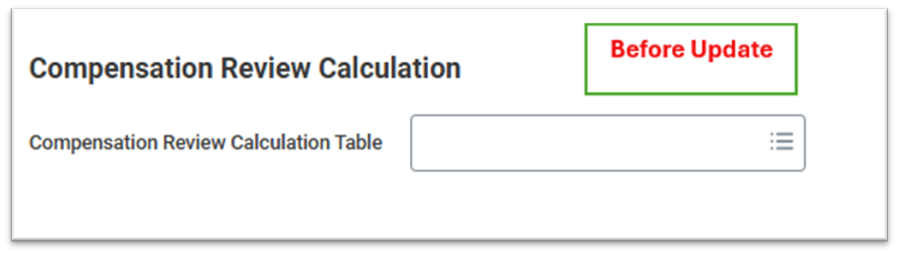
After Update